
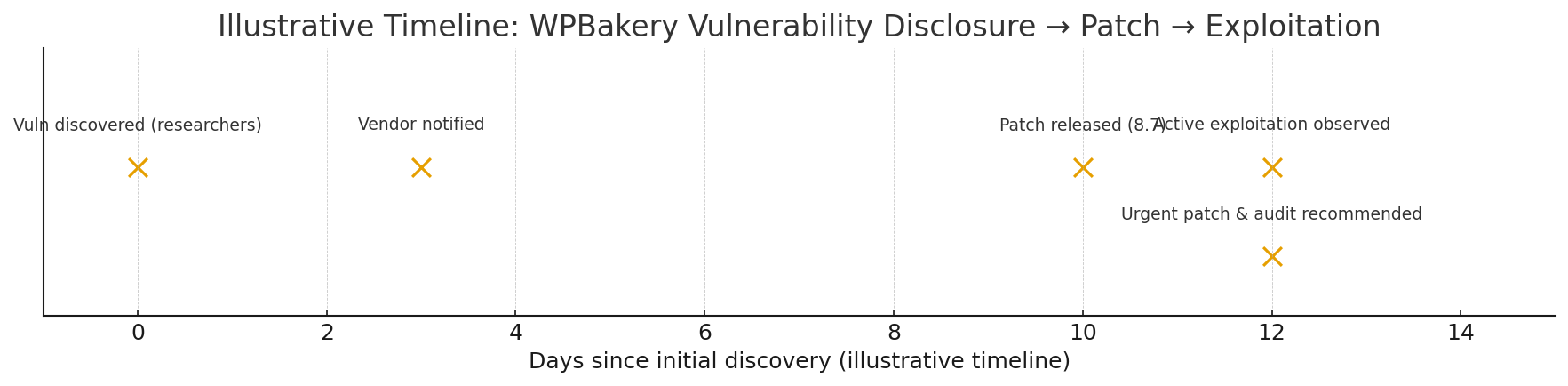
A stored cross-site scripting (XSS) flaw in WPBakery Page Builder’s Custom JS feature was disclosed; attackers with low-level authenticated access can persist JavaScript that executes when higher-privilege users view the page. Update WPBakery to the patched version immediately and follow the hardening steps below.
What was the vulnerability?
Researchers flagged a vulnerability in WPBakery Page Builder’s Custom JS handling that permitted untrusted input to be stored and later executed in users’ browsers (a stored XSS). In practice, an attacker with contributor-level access or similar could insert JavaScript into the Custom JS field; that payload runs in the context of site visitors and — crucially — administrator sessions if admins view an affected page. Because stored XSS runs in the victim’s browser, it can steal cookies, escalate actions, or deliver further payloads.
Affected versions & fix: vendors/maintainers released a patch in WPBakery 8.7 (sites running versions ≤ 8.6.1 should be considered vulnerable until updated). If you host WPBakery via bundled themes, you may need to update the theme or replace the packaged plugin.
Why this matters (quick facts & scale)
- Stored XSS is especially dangerous. Unlike reflected XSS, stored XSS persists on the server and will execute automatically when a privileged user visits a page — making it a common route to session theft and full admin compromise.
- WPBakery is widely deployed. Several usage trackers and vendor pages indicate WPBakery remains one of the most common page builders (estimates vary by source; built-with style counts and vendor claims put it in the hundreds of thousands to millions of sites range). That makes any serious plugin flaw high value for attackers looking for broad impact. (See sources below for current usage estimates.)
- Exploitability: The flaw requires an attacker to have an authenticated account capable of editing pages/custom JS (often a “contributor” or higher). But many WordPress installs permit low-privilege user registrations or reuse weak credentials — lowering the practical bar for exploitation.
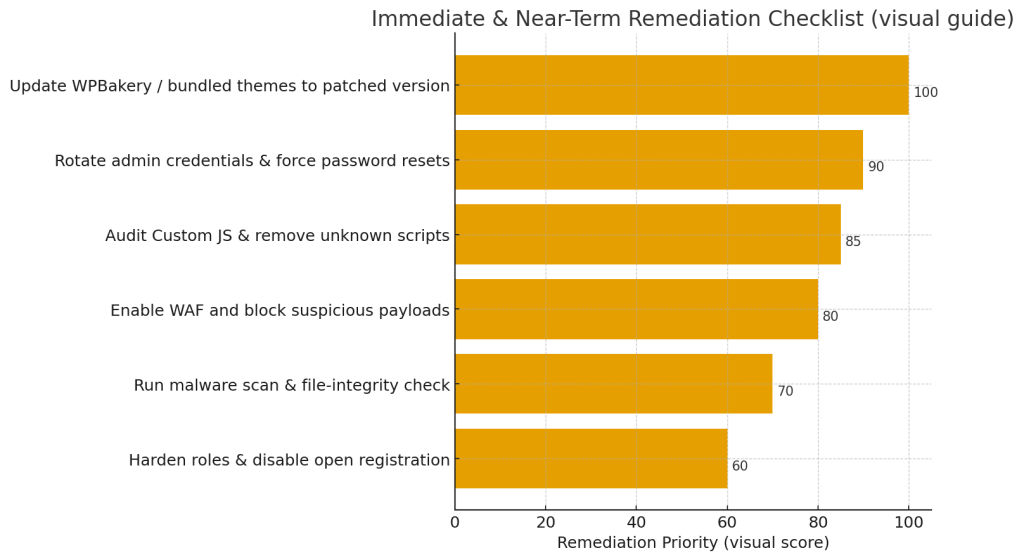
Real-world consequences (what an attacker can do)
Stored XSS in an admin or content context enables several dangerous chains:
- Session theft / account takeover — steal cookies or authentication tokens and impersonate admins.
- Persistent backdoors — plant scripts to load further malware, webshells, or phishing content.
- SEO & reputation damage — inject spammy content, redirects, or credit-card skimmers that harm users and get the site blacklisted by search engines.
- Pivoting — use the compromised site as a launchpad to attack partners, customers, or connected internal systems.
How to check if you’re vulnerable — quick checklist
- Find your WPBakery version. From WP Admin → Plugins, check WPBakery Page Builder version. If ≤ 8.6.1, update immediately.
- Search for Custom JS entries. Look for unexpected JavaScript in global custom JS fields, page-level custom JS, or theme settings that reference WPBakery features.
- Audit recent contributor activity. Review edits by non-trusted accounts for suspicious payloads or unusual changes.
- Scan for injected scripts. Use site scanners to find remote script tags, inline
<script>blocks containing external origins, or obfuscated code. - Inspect logs. Look for POST requests to WPBakery endpoints from accounts you don’t recognize. Correlate with UI changes and page views.
Immediate steps (emergency playbook)
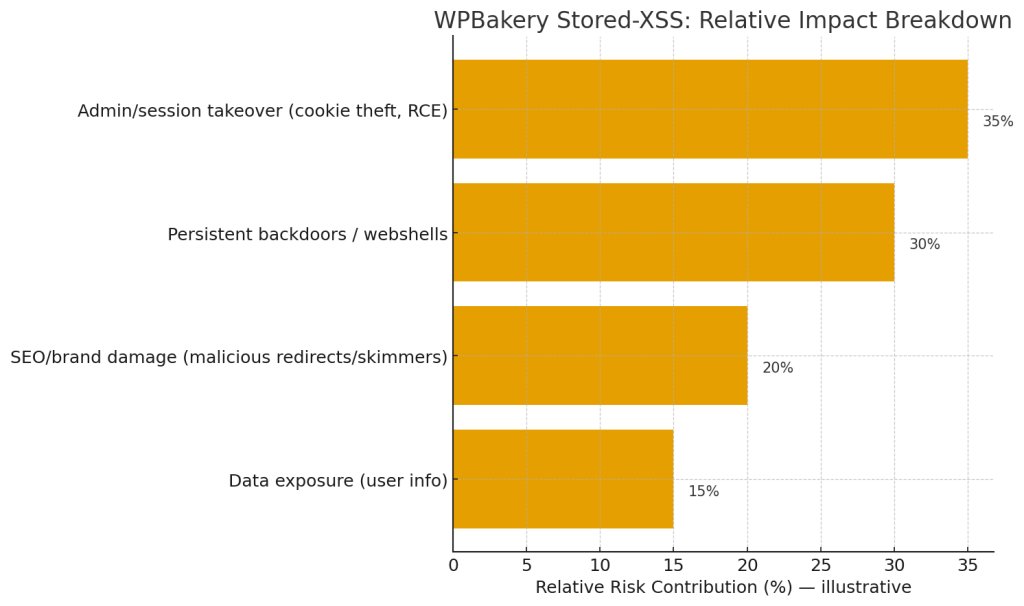
- Patch now. Update WPBakery to the vendor-released patched version (8.7 or later). If WPBakery is bundled in a theme, update the theme or replace the bundled plugin with the official plugin and the latest version.
- Rotate credentials & force password reset. For all admin/editor accounts and any accounts with publishing rights — especially if you detect suspicious page edits. Also rotate API keys and integration credentials.
- Audit Custom JS areas & remove malicious code. Search and remove any unknown or obfuscated JS. Restore from clean backups or compare with repository versions.
- Harden registration & roles. Disable open registrations if not needed; enforce strong passwords and 2FA for all privileged accounts. Limit the contributor/editor roles’ ability to add arbitrary JS-html.
- Enable WAF / block malicious payloads. Configure your web application firewall to block suspicious payloads and IPs while you clean up.
- Scan & monitor. Run a full malware scan and set up file-integrity monitoring. Monitor logs and alerts for repeated attempts.
Remediation & long-term hardening
- Least privilege: Revisit role capabilities. Contributors should not be able to inject scripts or edit global template settings. Use capability-locking plugins or custom role filters.
- Sanitize input on the server side: If you develop custom plugins or themes, sanitize/encode any user input placed into HTML/JS contexts. Prefer storing data as structured fields rather than raw HTML/JS. (Follow OWASP guidance.)
- Content review & approval: Require admin approval for any content that includes script tags, external resources, or inline JS.
- Theme/plugin management: Avoid using outdated, unmaintained themes that bundle old WPBakery copies. Use the off-the-shelf plugin from wpbakery.com and keep it patched.
- Regular security posture checks: Schedule recurring scans, run dependency audits, and keep a tested restore plan and offsite backups.
Detection queries & indicators to hunt for
- Search the DB and theme options for
<script src=or<script>tags in options, postmeta, and theme_mods tables. - Look for obfuscated patterns like
eval(,document.write(with base64/hex decoding, or references to unfamiliar remote domains. - Check for unusual admin logins, mass page edits, or new admin users created near the time of suspicious changes.
Useful references (sources & further reading)
- Search Engine Journal reporting on the disclosure and impact.
- WPScan / plugin advisory listing the vulnerability and patched versions.
- National / vulnerability databases (CVE/NVD) — for formal CVE details and timeline.
- OWASP pages on stored XSS and session hijacking — for the technical severity and mitigation patterns.
- WPBakery / usage trackers (BuiltWith, Wappalyzer) — for context on how many sites use WPBakery and why a flaw has broad impact.
Bottom line
This WPBakery Custom JS vulnerability underscores two recurring truths in WordPress security:
- Plugins that allow CSS/JS or HTML injection are high-risk and must be tightly controlled.
- Widespread plugins create attractive targets. If you run WPBakery (or any page builder), assume attackers will probe for authoring features that can store script content and treat them as critical attack surfaces.
Patch now, audit for injected scripts, tighten user capabilities, and add monitoring so a small misconfig or a low-privilege compromise doesn’t escalate into a full site takeover. If you want, I can generate step-by-step SSH/SQL commands to hunt for suspicious injections, a patch checklist tailored to your hosting environment, or a one-page incident response template you can use with your team. Which would you prefer?