
OpenCart GEO Website Protection is the security module that limits access to your store from unwanted countries and IP addresses. Control who can open your storefront and your admin panel based on geographic location.
The module restricts access to your OpenCart store based on the country a visitor's IP address belongs to. Block whole countries on the storefront, keep the admin panel open only to the countries your team works from, or send visitors from a country to a local version of your store.
Most attacks on online stores target the admin login. Limiting the admin panel to your own countries removes almost all brute force attempts, and the check runs before OpenCart starts, so blocked traffic costs your server almost nothing.
Country lookups use a database stored on your own server. No visitor data is sent to any external service.
Version 2.0.0 is a complete update of GEO Website Protection for OpenCart 3 and OpenCart 4. It fixes a security issue: a visitor could set their own IP address with an HTTP header such as X-Forwarded-For or CF-Connecting-IP and get past country blocking. Forwarded headers are now read only from a trusted proxy, and stores behind Cloudflare keep working with no setup.
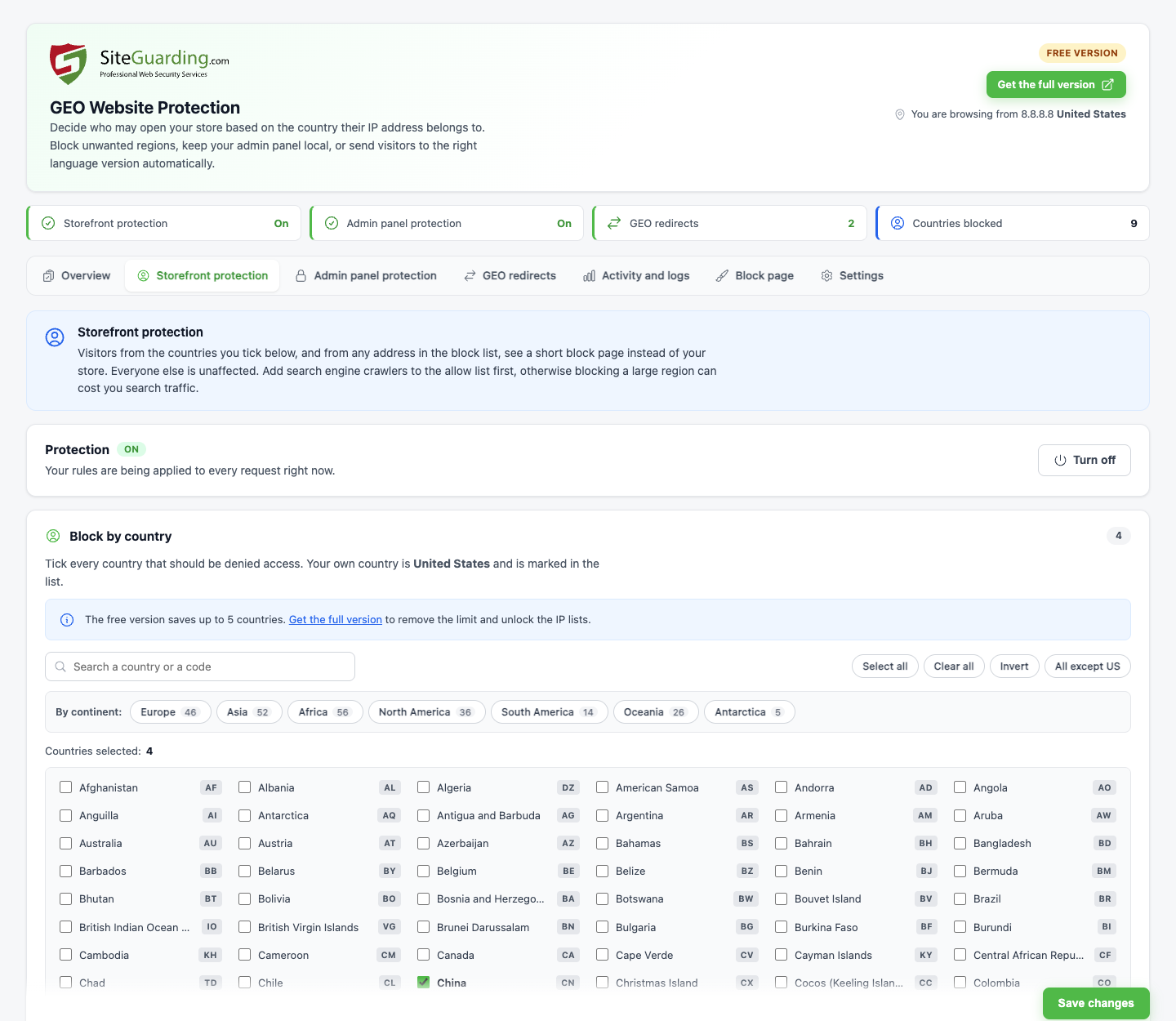
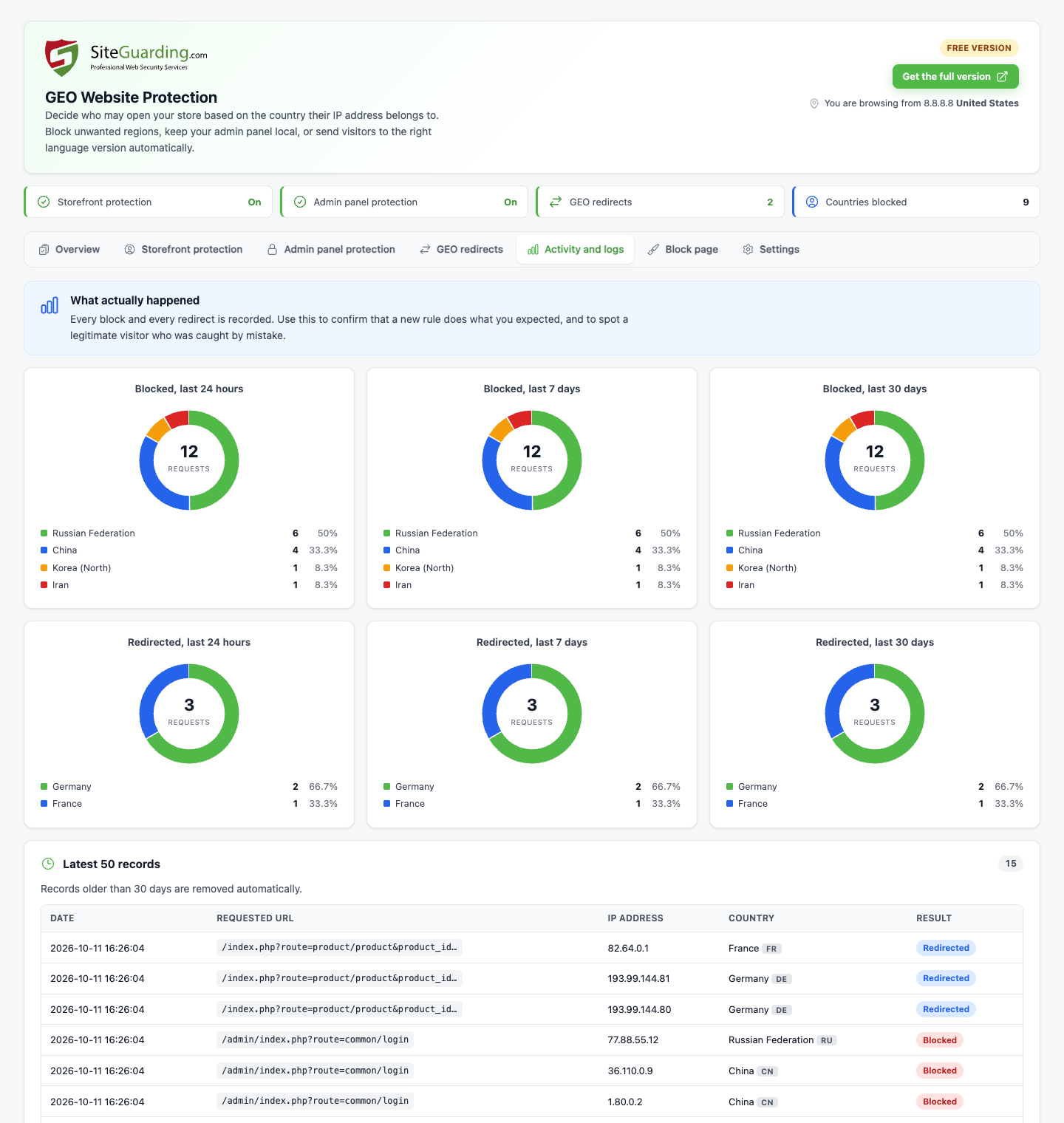
The module has a new interface with separate switches for the storefront and the admin panel, a country picker with search and continents, activity charts and a live preview of the block page. IP rules accept exact addresses, wildcards and CIDR ranges for IPv4 and IPv6, and rules saved by version 1.x are converted automatically. The check runs before OpenCart starts, works on PHP 8, and keeps your settings when you update.


| Feature | Free Version | Full Version |
|---|---|---|
| Storefront protection by country | Up to 5 countries | Unlimited |
| Admin panel protection by country | Up to 5 countries | Unlimited |
| Block and allow lists by IP address, wildcard and CIDR range | ||
| Search engine crawler ranges in one click | ||
| GEO redirects by country | Up to 5 countries | Unlimited, with exceptions by IP address and URL |
| Never filter selected storefront pages (payment callbacks) | ||
| Activity log and charts | ||
| Custom block page with your logo and text | ||
| GEO database updates | By hand, once every 30 days | Automatic |
| Remove the Protected by link | ||
| Support and help | Email only | Email and Live Chat |
Download the free version to get started with geographic access control, or get the full version for unlimited countries and IP lists.
OpenCart 3.0.x
1. Extensions > Installer: upload opencart_geoprotection3.ocmod.zip.
2. Extensions > Extensions > Modules: find GEO Website Protection, click Install, then Edit.
OpenCart 4.0.2 to 4.1
1. Extensions > Installer: upload siteguardinggeoprotection.ocmod.zip and click Install. Keep the file name as it is: OpenCart 4 uses it to install the module.
2. Extensions > Extensions > Modules: find GEO Website Protection, click Install, then Edit.
Updating from an earlier version
OpenCart 3: upload the new file in Extensions > Installer, then open the module page once. Your settings are kept and converted.
OpenCart 4: uninstall the module in Extensions > Extensions > Modules, uninstall and delete the old package in Extensions > Installer, then install the new one. Your settings are kept.
Requirements
OpenCart 3.0.x with PHP 7.0 or newer, or OpenCart 4.0.2 to 4.1 with PHP 8.0 or newer. During installation the module adds one line to config.php and keeps a copy of the original file, so config.php must be writable at that moment.