Joomla Extension

SiteGuarding SpeedUp for Joomla: Page Cache

SiteGuarding SpeedUp keeps a ready copy of every page of your website and gives it to visitors without running Joomla for each visit. Pages open faster, the server does less work, and the website stays fast during traffic peaks. The free SiteGuarding SpeedUp extension brings the cache into your Joomla administrator: you see that it works, clear it when you need to, and Joomla keeps it fresh by itself every time you change content.

Last Update: 28 Oct 2026
Version: 1.0.1
Compatibility: Joomla 4, 5 and 6, PHP 7.2.5 or later
Price: Free
License: GNU GPL version 2 or later

How it works

SpeedUp is the page cache of the SiteGuarding firewall. It answers before Joomla starts, so a cached page costs the server almost nothing.

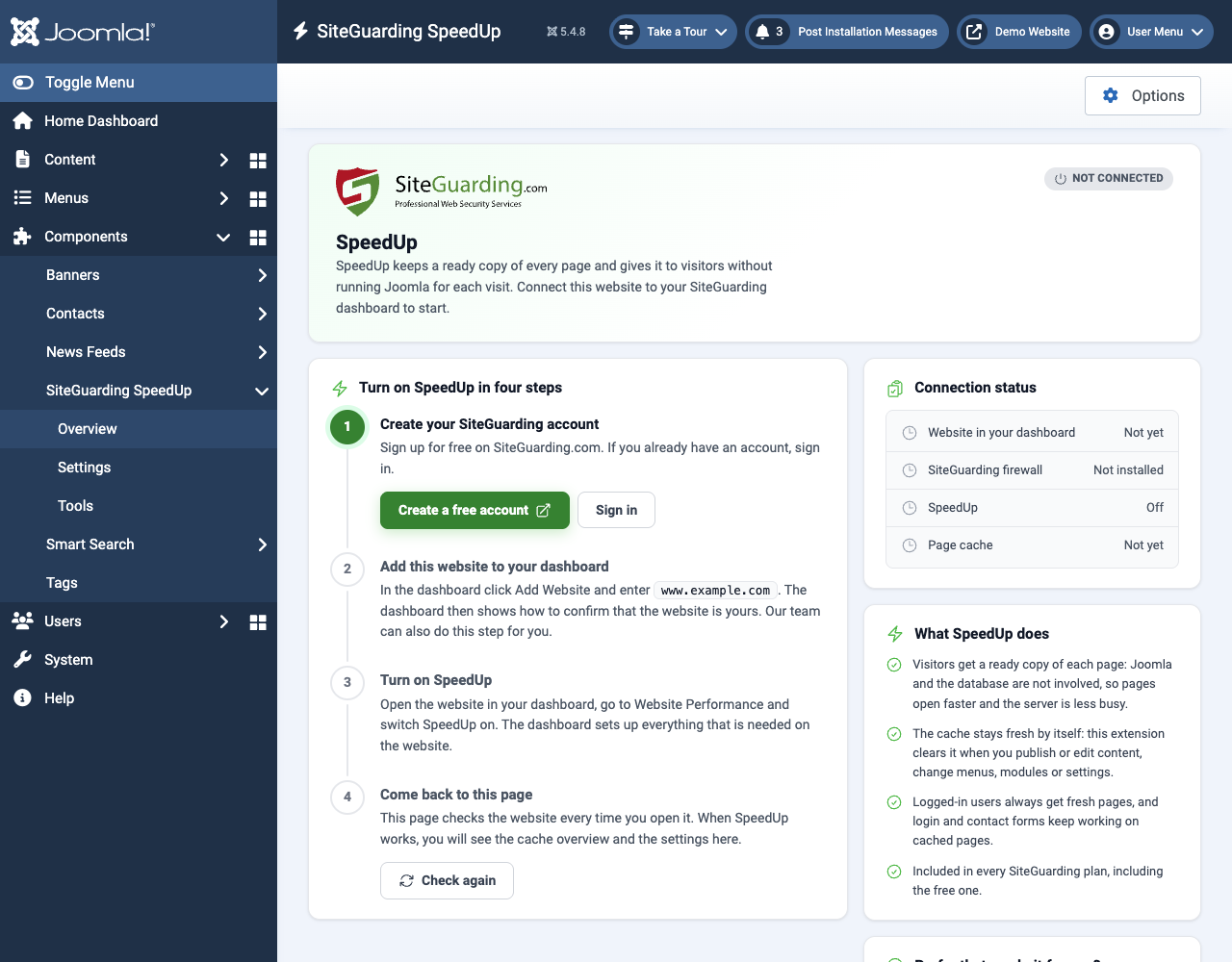
1. You add the website to your SiteGuarding dashboard and turn on SpeedUp under Website Performance. The dashboard sets up the firewall and the cache on the server.

2. The first visitor of a page gets it from Joomla as usual, and SpeedUp saves a copy. The next visitors get the copy in a few milliseconds.

3. The extension tells SpeedUp what to forget. When you save an article, a menu, a module or the configuration, the cache is cleared, so visitors always see the current website.

4. Personal pages are never shared: logged-in users and visitors with a message on the page always get a fresh page from Joomla.

The extension itself installs nothing on the website. If SpeedUp is not set up yet, it shows a short guide with four steps and a link to your dashboard. SpeedUp is free on all SiteGuarding plans, including the free one.
Main features

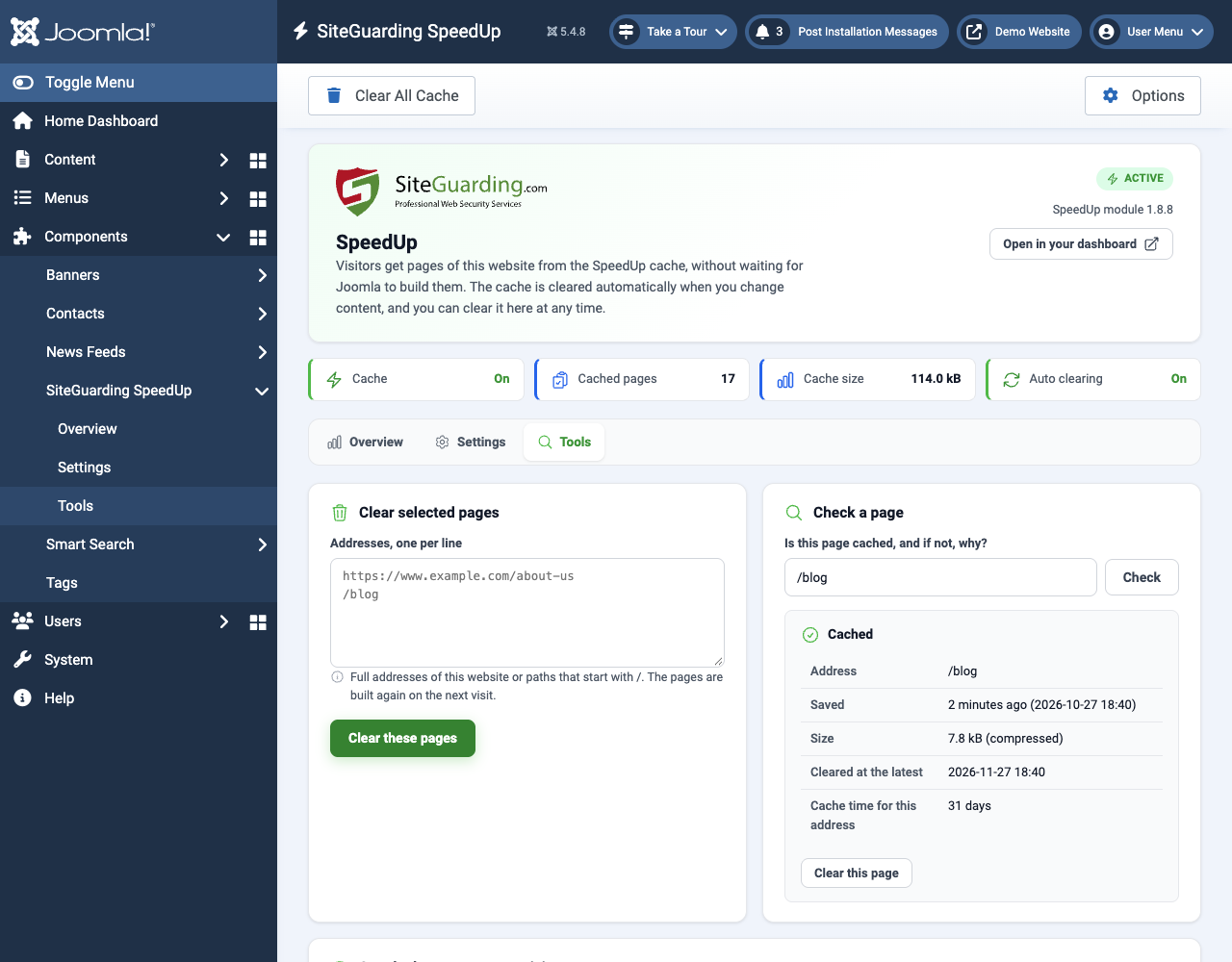
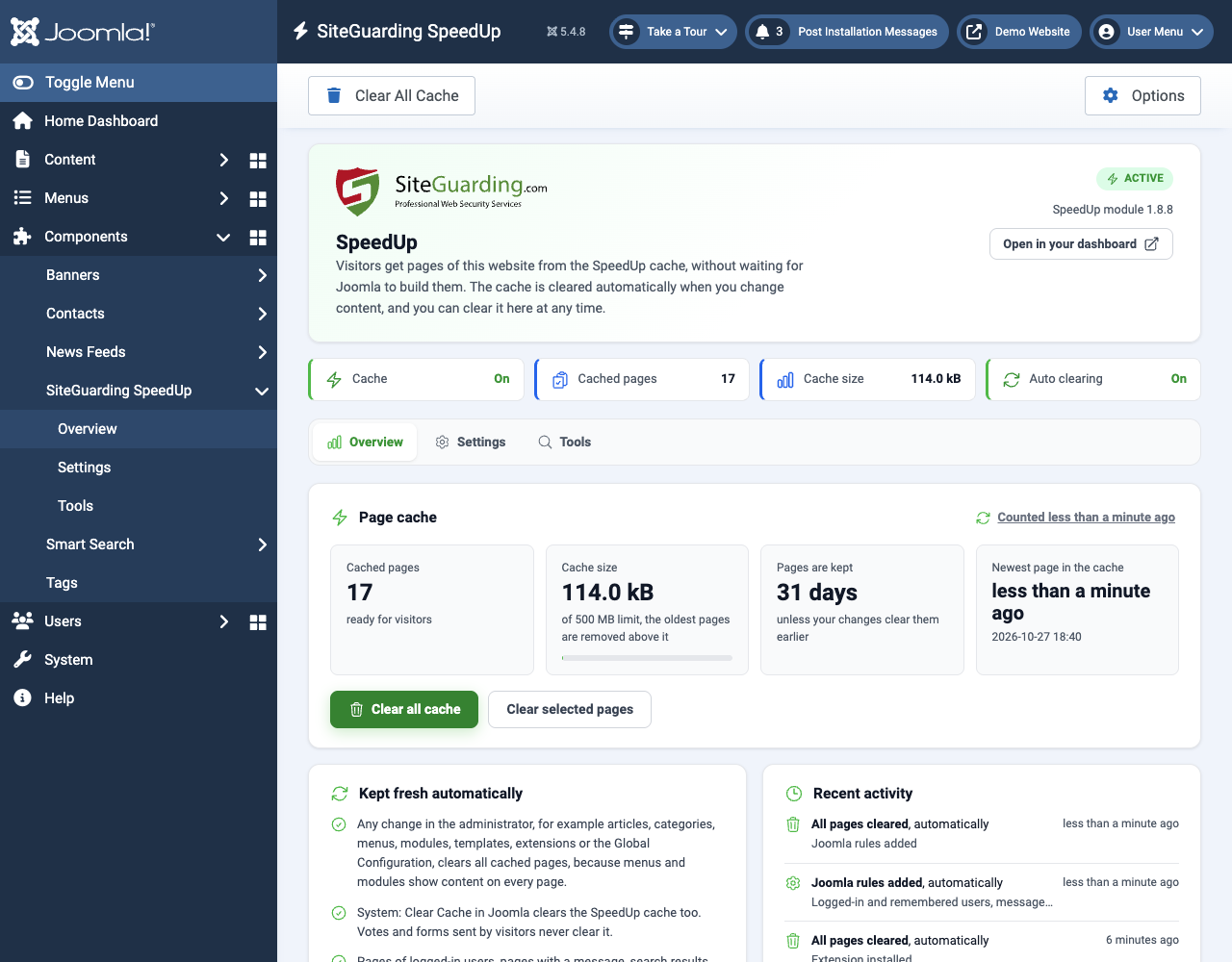
  • Status at a glance: is the cache on, how many pages are cached, how much space they take and when the newest page was saved.
  • Automatic clearing when content, menus, modules, extensions or the global configuration change, and when Joomla is updated. "Clear Cache" in System clears SpeedUp too.
  • Clear in one click: the whole cache from the toolbar, or a list of addresses on the Tools tab.
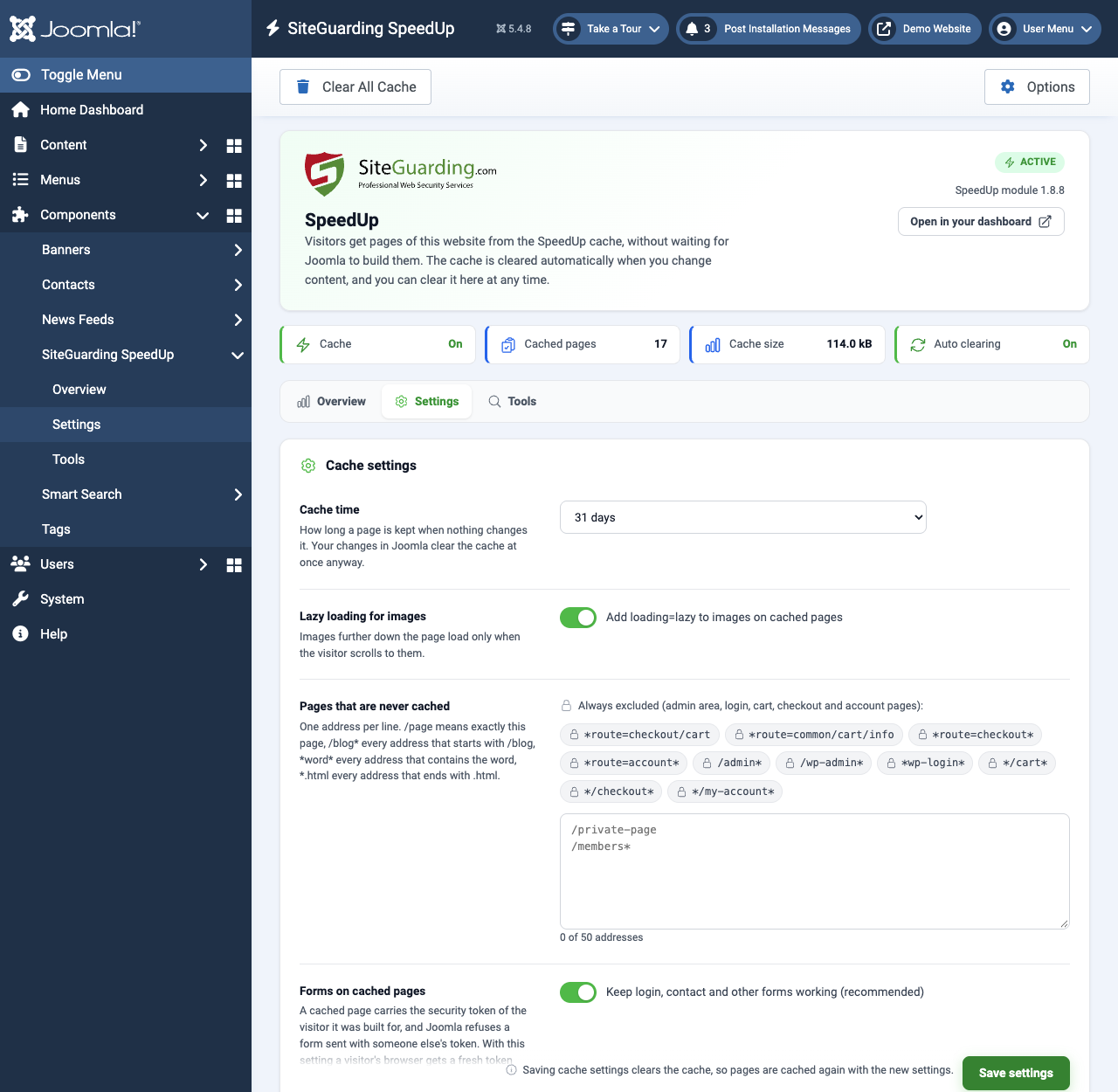
  • Cache settings, the same as in your SiteGuarding dashboard: how long a page is kept (1 hour to 31 days), lazy loading for images and the pages that are never cached.
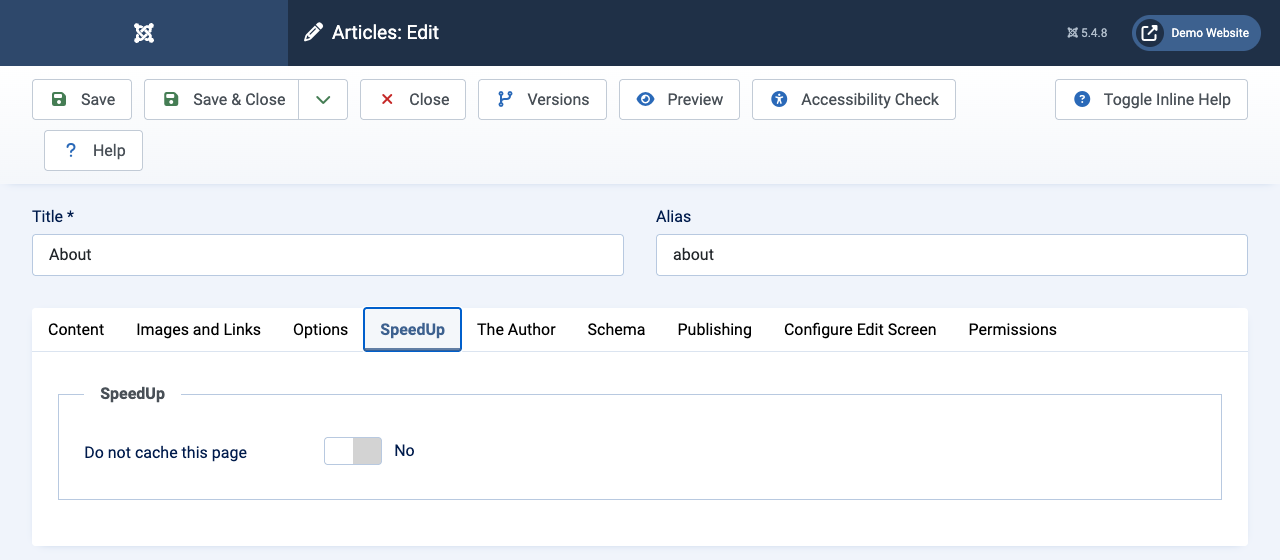
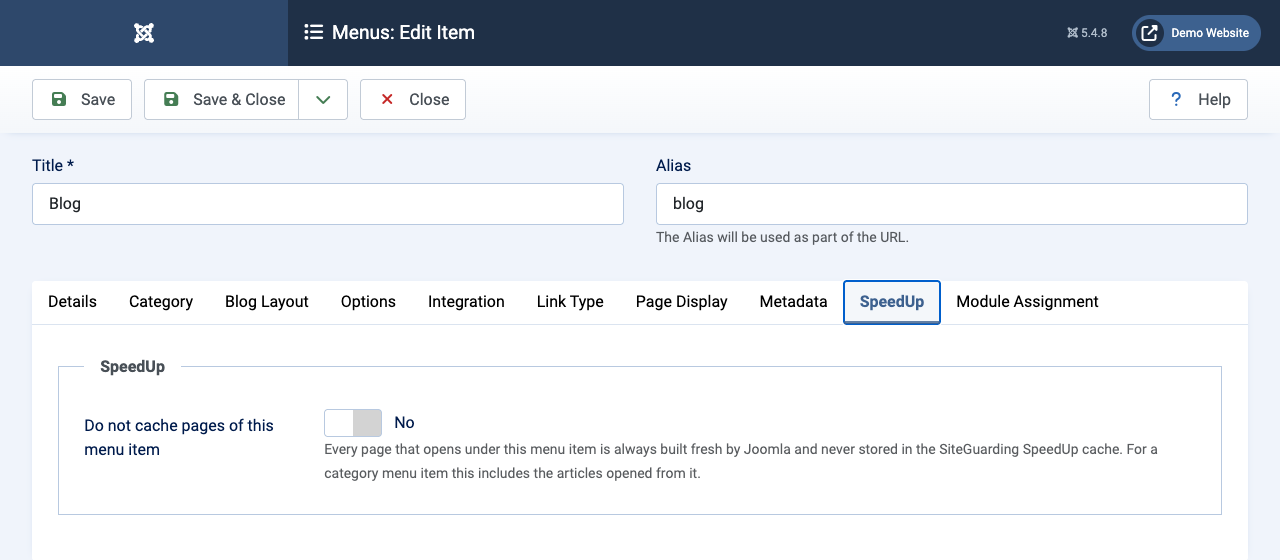
  • "Do not cache this page" option on a SpeedUp tab in every article and menu item.
  • Page check: enter an address and see whether it is cached, since when, and if not, why.
  • Visitor check: the server opens the home page twice as a visitor and shows where each answer came from and how fast it was.
  • Settings history: the last 5 versions of the settings are kept, and you can go back to any of them.
  • Diagnostics with a "Copy for support" button, so our team can help you faster.
  • Warnings about another page cache extension and about the old SpeedUp component.
  • Updates through the standard Joomla update system.

Joomla specifics

  • Forms keep working on cached pages: login, contact and other forms get a fresh security token for each visitor, so nobody sees "Your session has expired".
  • Messages are not lost: after a login error or a "Thank you" message, the visitor gets the next page from Joomla with the message on it.
  • Works when Gzip Page Compression is on in the Joomla configuration.
  • Search results, the offline page and pages excluded by other page cache plugins are never cached.
  • Respects Joomla permissions: only users who can manage the component see the screen and its actions. Works with the dark theme of the administrator.

Screenshots

Requirements

Joomla 4.0 or later, including Joomla 5 and 6 (tested on 4.4, 5.4 and 6.1), PHP 7.2.5 or later.

A free or paid SiteGuarding account with the website added to the dashboard and SpeedUp turned on under Website Performance. Our support team can do this for you.

Installation

1. Download the extension ZIP file from this page.

2. In Joomla go to System, Install, Extensions, and upload the file. The package installs the component and its system plugin and turns the plugin on.

3. Open Components, SiteGuarding SpeedUp. If SpeedUp is already on, you will see the overview. If not, follow the four steps on the screen.

What's new in 1.0.1

SiteGuarding SpeedUp 1.0.1 prepares the extension for the Joomla Extensions Directory. The cache works the same way as in 1.0.0.

A license notice in the header of every file.

Protection against direct access in every PHP file of the extension.

The update information now links to this page.

What's new in 1.0.0

SiteGuarding SpeedUp 1.0.0 is a new extension for Joomla 4, 5 and 6 that replaces the old SpeedUp component.

New screen with Overview, Settings and Tools.

Automatic clearing on every change made in the administrator.

Fresh form tokens and messages on cached pages.

"Do not cache this page" for articles and menu items.

Page check, visitor check, settings history and diagnostics.

FAQ

Is the extension free?

Yes. The extension is free, and SpeedUp is included in every SiteGuarding plan, including the free one.

Do I need a SiteGuarding account?

Yes. SpeedUp is part of the SiteGuarding service. Sign up for free at siteguarding.com, add the website to your dashboard and turn on SpeedUp under Website Performance. Our support team can also do it for you.

Should I keep the Joomla System - Page Cache plugin on?

No. Two page caches on one website only get in the way of each other. The extension warns you when another page cache plugin is on.

What happens when I uninstall the extension?

SpeedUp keeps caching pages, but Joomla no longer clears them when you change content. The SpeedUp files and settings are not touched. To stop the cache, turn SpeedUp off in your SiteGuarding dashboard.

Download

Version 1.0.1 | Free | Joomla 4, 5 and 6 | PHP 7.2.5 or later | License: GNU GPL version 2 or later

Live Chat Support
Our website uses cookies, which help us to improve our site and enables us to deliver the best possible service and customer experience. See our policy Accept