Understanding Malware and Backdoor Threats
Detecting the malicious code on your website is not a simple task, even for professionals, and requires an individual approach to each website. Even if you have found and removed malicious code, you may face the same problem in the future because hackers often reserve a well-disguised "backdoor" access to your resource.
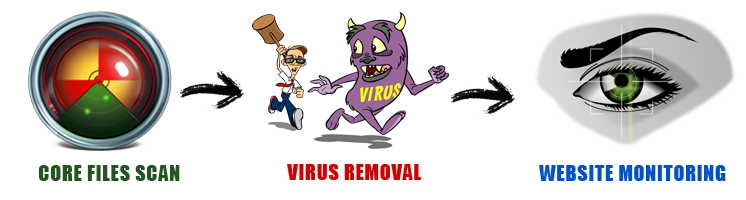
After detecting a backdoor or malware on your website, it is very important to take all necessary measures to determine how the hacker penetrated your server. You should find out whether the vulnerability was in your scripts or in the operating system of the hosting service provider. Understanding the attack vector is crucial for implementing effective security monitoring and preventing future breaches.
Only integrated preventive measures will save your website from malicious code. You must take measures not only to detect and remove malicious code but also to implement subsequent protection from attacks. Don't wait until your website is compromised — remember that it is much easier to prevent a hack than to restore the website and change all administrator and user passwords after an attack has occurred.
Prevent Your Website From Being Hacked
Your website security is something you must prioritize every day. The consequences of a security breach can be severe — most commonly resulting in lost customers, declining search engine rankings, and significant financial losses for your business.
When a website is infected with malware, backdoor removal becomes a high priority. A backdoor is a type of program that opens your site or server to unauthorized access over the Internet. When hackers use your website to attack your visitors and customers, it leaves evidence that makes it appear as though you participated in the attack, even when you are completely unaware of what is happening.
Manual backdoor removal can be extremely difficult, as the software that installed the backdoor likely also installed numerous backups and fail-safes to prevent malware removal. This is why it is essential to have access to quality security software like a website antivirus or advanced web protection monitoring software. The best software prevents infections from trojans, viruses, and spyware in the first place, and also helps you remove them when they occur.
How Do I Know If My Website Got Hacked?
Determining whether your website has been hacked can be quite challenging. There are some clear symptoms and indicators that suggest someone has compromised your website. However, sometimes our perception may be incorrect — it's possible that a script on your website is malfunctioning, and it's not actually a hack.
Usually, people who manage personal websites ask this question most frequently. Even security experts sometimes struggle to recognize website hacking, making it difficult for anyone to accurately identify a compromised website without proper tools and expertise.
Structure of a Website
When studying the structure of a website, it's important to note that websites come in different sizes. Even a medium-sized website comprises a minimum of 2,000 to 3,000 files. Manually checking each file for signs of hacking is practically impossible. This process requires not only software engineering knowledge but also a thorough examination of every file, which takes considerable time. Checking a medium-sized website is like reading a book with 2,000 to 3,000 pages thoroughly — it's humanly not feasible without automated security monitoring tools.
Warning Signs That Indicate Your Website Has Been Hacked
There are certain factors that indicate your website may be compromised and that there has been unauthorized modification to your code. Watch for these warning signs:
The download commands on your website proceed at a considerably slow speed, indicating potential malicious scripts running in the background.
Firewall warnings or browser security alerts appear as soon as you open the website, indicating potential malware presence.
You receive unexpected error messages when trying to use any module or functionality on your website.
Search engines stop indexing your website or display warnings — a clear indication that malicious content has been detected.
You notice new codes appearing in your files and documents that you didn't upload, sometimes even on images — often completely irrelevant to your content.
New unrelated accounts appear in your administration panel with administrator-level access that you didn't create.
Emails and messages sent from your website to customers are not being received, potentially due to server compromise or blacklisting.
The factors mentioned above provide clear indications of website hacking. However, it's important to understand that as computer technologies and protection software including malware have become more sophisticated, the hacking procedures have also become more resourceful and harder to detect without enterprise website security solutions.
Protect Your Website From Malware
For developers concerned with website protection and management, it is crucial to stay informed about the latest technologies related to website hacking. Additionally, you should monitor your hosting capabilities properly. Often, service providers are least concerned about updating software and operating systems, which can put your website at risk and increase the chances of hacking and data loss. Website owners are strongly advised to be careful about free CMS service providers and implement proper corporate website protection measures.
Threats Faced by Small Business Websites
Small business websites face a significant risk from hackers, and this threat should not be ignored. According to a survey conducted by the National Small Business Association, more than 44 percent of small businesses have reported experiencing hacking incidents on their systems. This makes advanced web protection essential for businesses of all sizes.
The Importance of Website Security
Many business owners and entrepreneurs feel confident that their websites are safe from hacking. Some may not find time due to other commitments to accomplish the important task of backing up or securing their websites. However, whether you own a small business or a large enterprise, website security should be your top priority at all times. Implementing DDoS mitigation and comprehensive security monitoring can prevent catastrophic data breaches.
What Happens If You Ignore Securing Your Website?
There are alarming dangers if you fail to protect your website in time. Hackers can do many malicious and dangerous things to compromise your business:
Data Theft: Breaking into the database and information system of the website to steal valuable customer data, financial records, and confidential business information.
Website Defacement: Placing changed pictures with altered codes or texts on the website, damaging your brand reputation and customer trust.
Virus Distribution: Delivering viruses to visitors by submitting bogus and malicious codes through forms, harming your customers and destroying their trust.
Email Server Abuse: Accessing your email server and domain to send spam messages, potentially getting your server blacklisted globally.
Business owners must be vigilant enough to understand these dangers. Only when you develop knowledge about these issues can you take proper steps to remove these dangers and build robust security for your website to prevent hacking. Website owners are directed to protect their content and records by installing updates regularly. Taking help from content management systems with proper security hardening is also recommended. To ensure website protection, it is crucial to identify and fix security vulnerabilities that could expose your website to hackers.
14-Day Free Trial Available for All New Websites
Start protecting your website today with our comprehensive security solution. No credit card required.
Create an AccountLearn More About Website Security
Protect Your Website
Your website got hacked and blacklisted by Google? Select our Security Package to keep your website clean and protected.
Basic Protection
Standard Security
Premium Security
Business Enterprise
One-Time Flag Clearance Available
Complete infection cleanup, evidence preparation, and re-review submission
Starting at 109.95 USD — SEO recovery support included