Stop scanners, scrapers, spam bots and fake Googlebots with a browser check that runs on your own server. Real visitors and good bots pass as usual. No account needed, and no visitor data leaves your website.
Last Update: 18 Oct 2026
Version: 5.0
Compatibility: WordPress 5.9 and newer / PHP 7.2 to 8.5
Most of the traffic of a typical website is not people. Vulnerability scanners look for holes in your plugins, scrapers copy your content and prices, spam bots fill your forms and password guessers try your login page. They slow the site down for real visitors and put it at risk. BadBot Protection tells them apart from people and from the good bots you want, and stops them before they cost you server time.
What it does
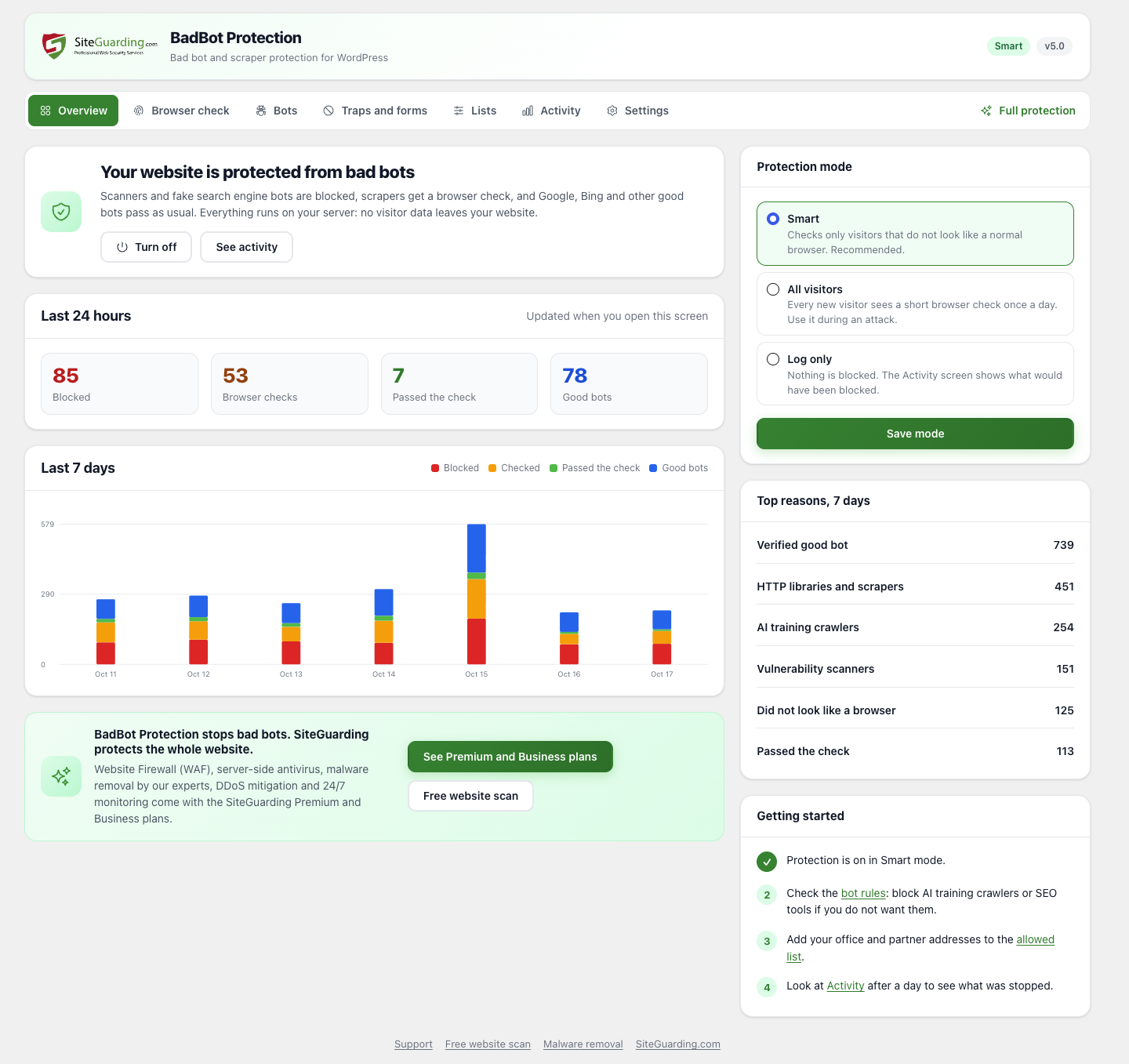
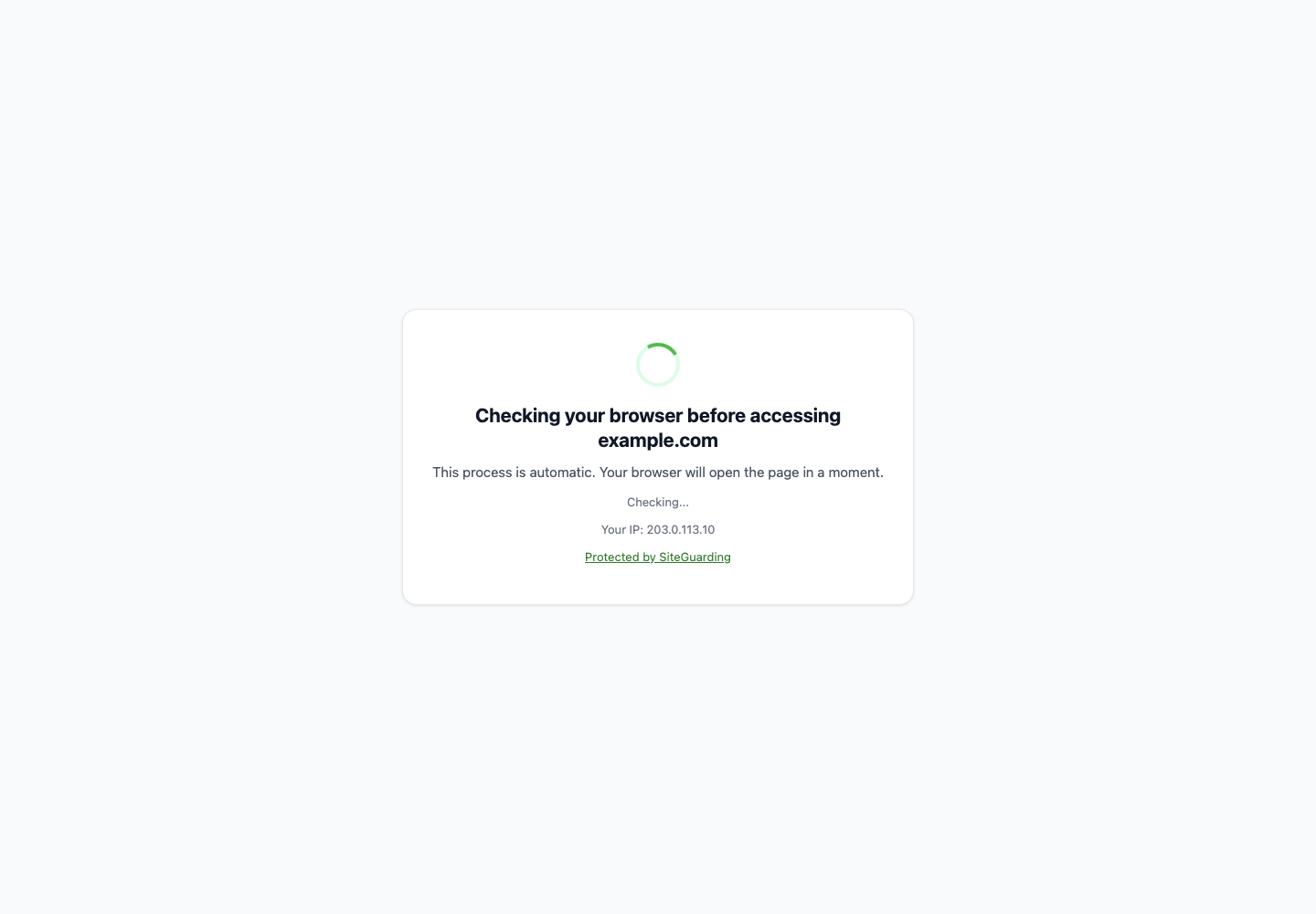
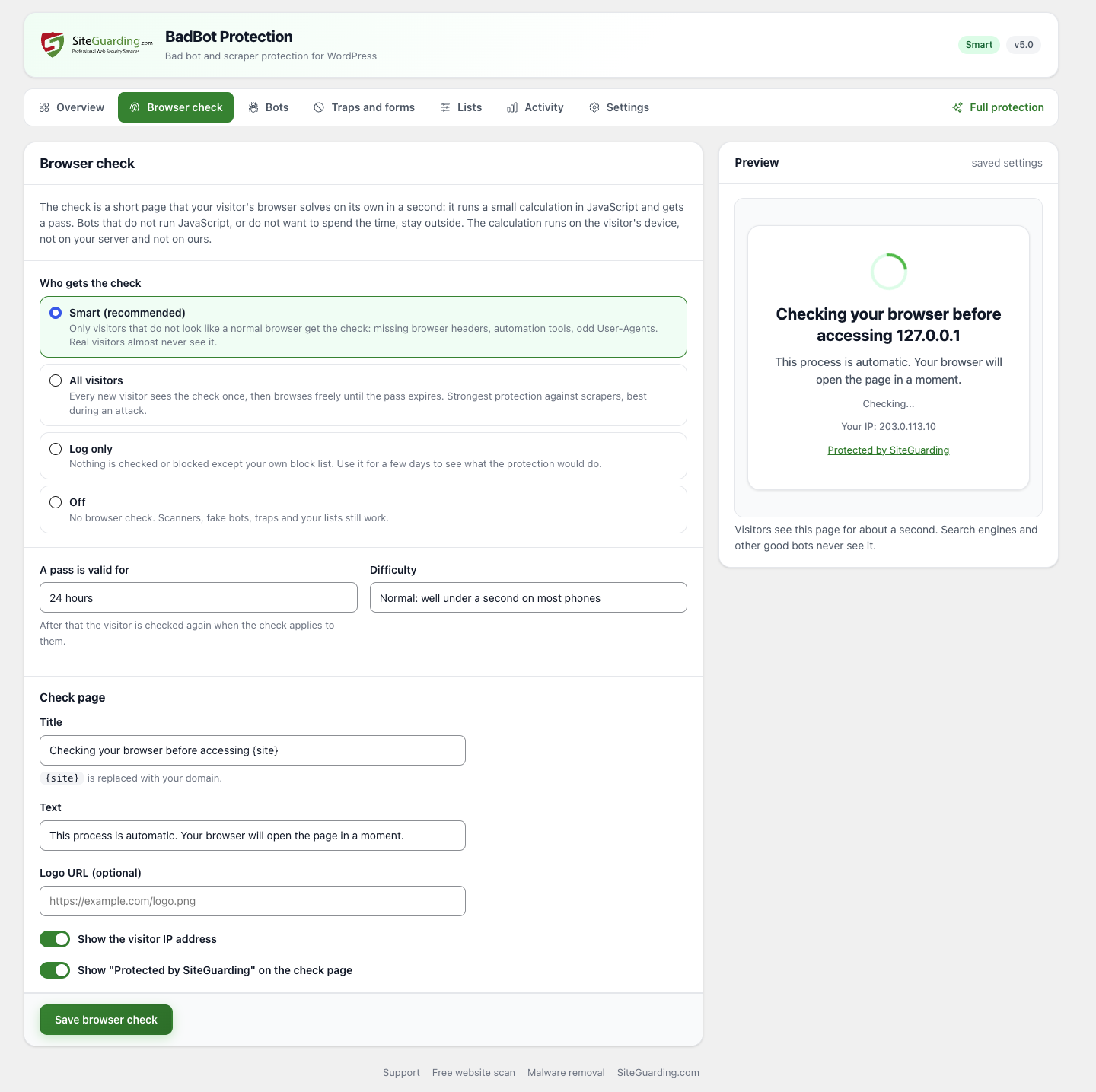
Browser check on your own server. Visitors that do not look like a normal browser get a short check page. The browser solves a small calculation in about a second and gets a pass; bots stay outside. Smart mode checks only suspicious visitors, All visitors mode checks everyone once a day during an attack, and Log only mode shows what would be blocked.
Verified search engines. Google, Bing, Apple, DuckDuckGo, Yandex, Baidu and others are checked against their official address lists or by reverse DNS. Real crawlers pass; scrapers that only pretend to be Googlebot are blocked.
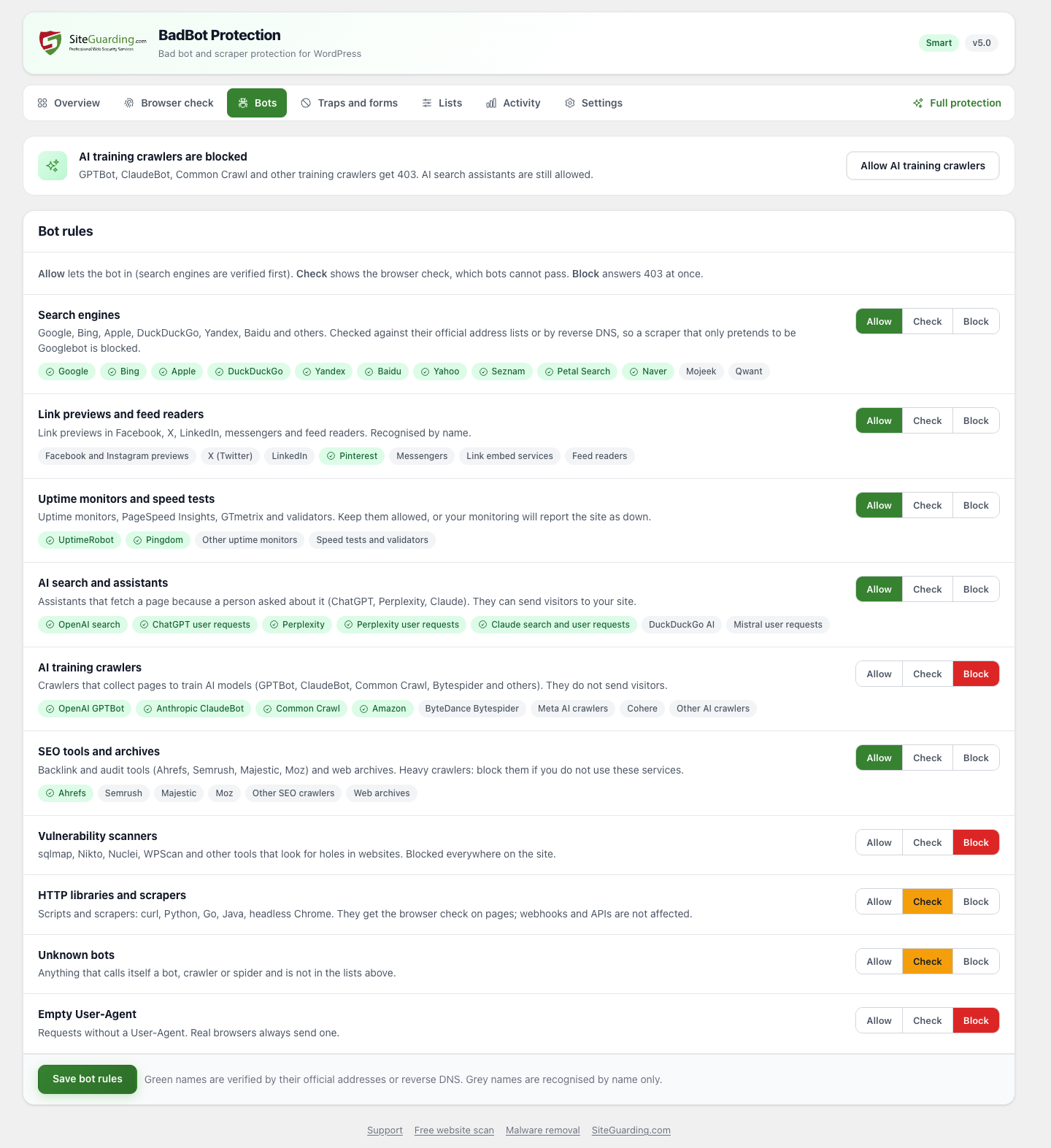
Bot categories. Allow, check or block search engines, link previews, uptime monitors, AI assistants, AI training crawlers, SEO tools, vulnerability scanners, HTTP libraries and unknown bots.
Block AI training crawlers with one click. GPTBot, ClaudeBot, Common Crawl, Bytespider and other training crawlers get blocked, while AI search assistants that send visitors stay allowed.
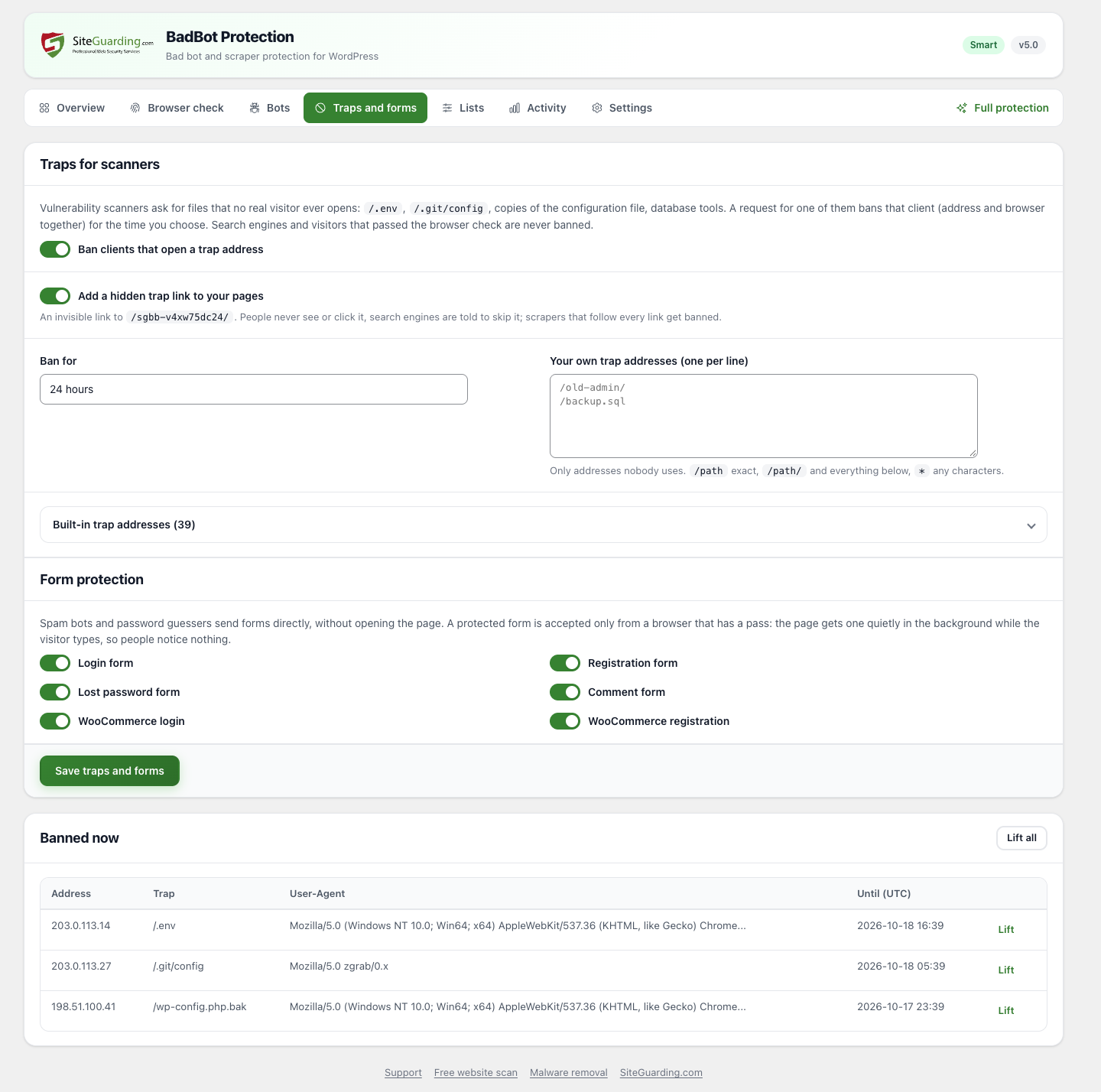
Traps for scanners. Requests for files no visitor ever opens (.env, .git, copies of wp-config.php, database tools) and a hidden trap link ban the client for the time you choose.
Form protection. Login, registration, lost password, comments and WooCommerce login and registration accept posts only from a real browser. People notice nothing; spam bots and password guessers are refused.
Allow and block lists. IP addresses (IPv4, IPv6, CIDR), User-Agents, and URLs that never get the check, such as payment webhooks.
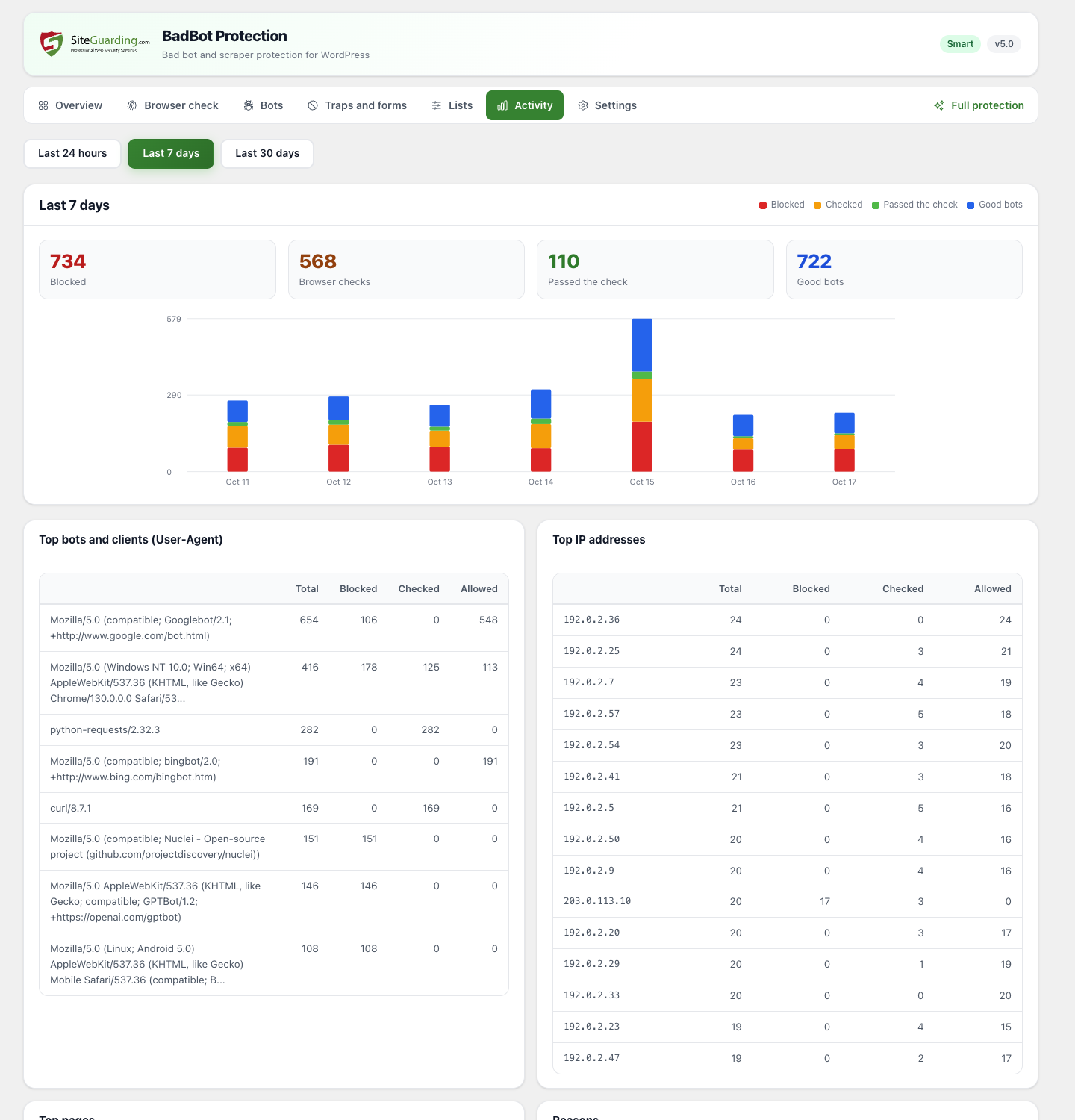
Activity and statistics. Charts for 24 hours, 7 and 30 days, the top bots, addresses, pages and reasons, and a log of recent events.
Your check page. Your logo and texts, with a live preview.
Safe by design. Logged-in users are never checked, the REST API, AJAX, cron, feeds and sitemaps are not touched, page caches never store the check page, and an emergency switch file turns everything off.
Screenshots
Private by design
Bot detection, the browser check and the statistics all run on your server. The plugin does not send visitor data anywhere and needs no account or connection to an outside service.
Full website protection
BadBot Protection stops bad bots. SiteGuarding protects the whole website. Block unwanted bots is part of the SiteGuarding Premium and Business plans, together with:
Website Firewall (WAF): SQL injection, XSS and exploit blocking
Server-side antivirus and daily malware scanning
Hack repair by our experts
DDoS prevention
Brute force and card testing protection
GEO blocking
24/7 monitoring, website backups and an SSL certificate
No. Google, Bing and other search engines are verified by their official addresses and never see the check. If a crawler cannot be verified, it gets a temporary "try later" answer, never a block.
What do real visitors see?
In Smart mode almost all of them see nothing. In All visitors mode each new visitor sees the check page for about a second, once per day by default.
Does it work with page caches and Cloudflare?
Yes. The check page is never cached. Cloudflare is detected automatically, and other proxies can be added in the settings. To check visitors before a page cache serves them, turn on early protection.
Does it send data anywhere?
No. Everything runs on your server. The plugin only asks siteguarding.com for the number of the latest version, like any plugin update check.
I have the older BadBot Protection 1.5. What happens?
It updates itself to 5.0. The new version works on its own, without an account; Smart mode starts automatically.
Changelog
5.0 - Works on its own, without an account or the SiteGuarding dashboard. - Browser check on your own server, with Smart, All visitors and Log only modes. - Verified search engines by official addresses and reverse DNS; fake crawlers are blocked. - Bot categories, including AI assistants and AI training crawlers. - Traps for scanners, hidden trap link and bans. - Protection for login, registration, lost password, comment and WooCommerce forms. - Allow and block lists, excluded URLs, early protection, activity charts and log. - Modern interface with dark mode and mobile layout.
Our website uses cookies, which help us to improve our site and enables us to deliver the best possible service and customer experience. See our policyAccept