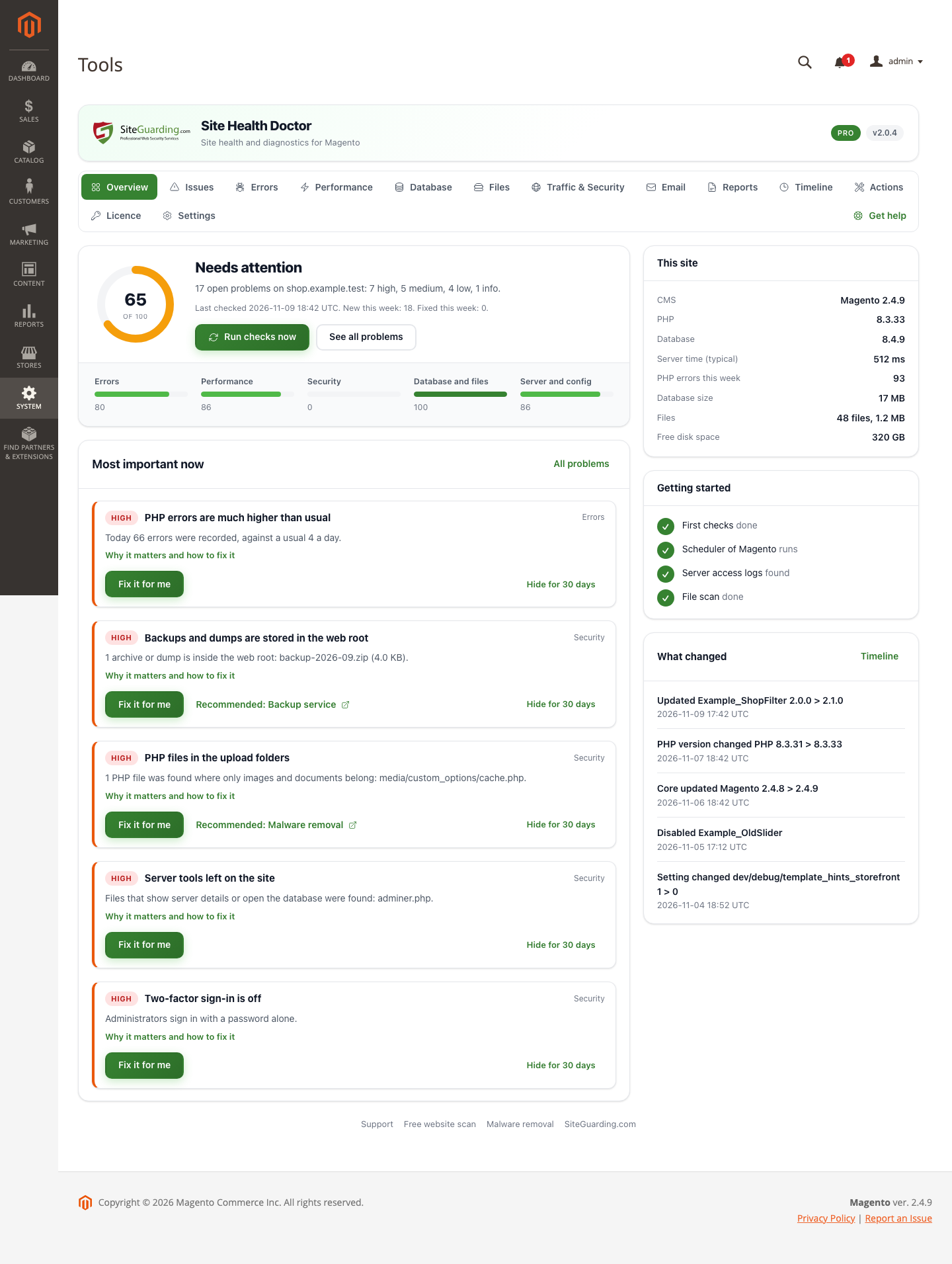
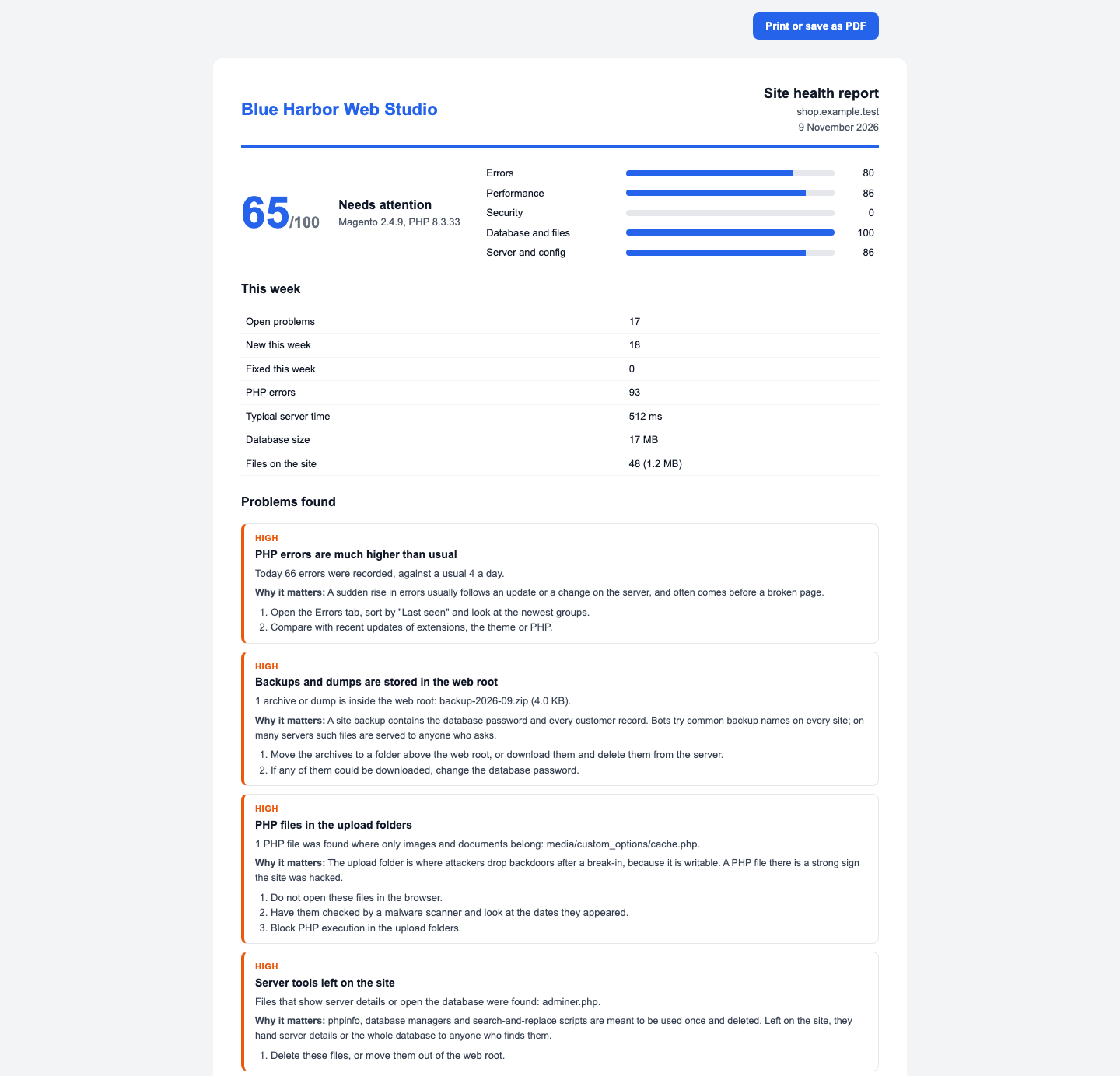
Find what is wrong with your shop before your customers do. PHP errors and the module behind them, slow pages, database, disk, cron, security and mail, each with a plain explanation and the steps to fix it.
Last Update: 10 Nov 2026
Version: 2.0.4
Compatibility: Magento Open Source 2.4.7 or newer (tested on 2.4.7, 2.4.8-p5 and 2.4.9), PHP 8.2 or newer
A Magento shop rarely breaks all at once. A module starts throwing warnings, pages get slower week by week, the cron stops and indexers fall behind, error reports pile up in var/report, developer mode or a database tool is left on the live shop, a backup archive lies in pub/ where anyone can download it, and order e-mails quietly land in spam. Site Health Doctor watches all of this on your own server and tells you, in plain words, what is wrong, why it matters and what to do about it.
What it checks
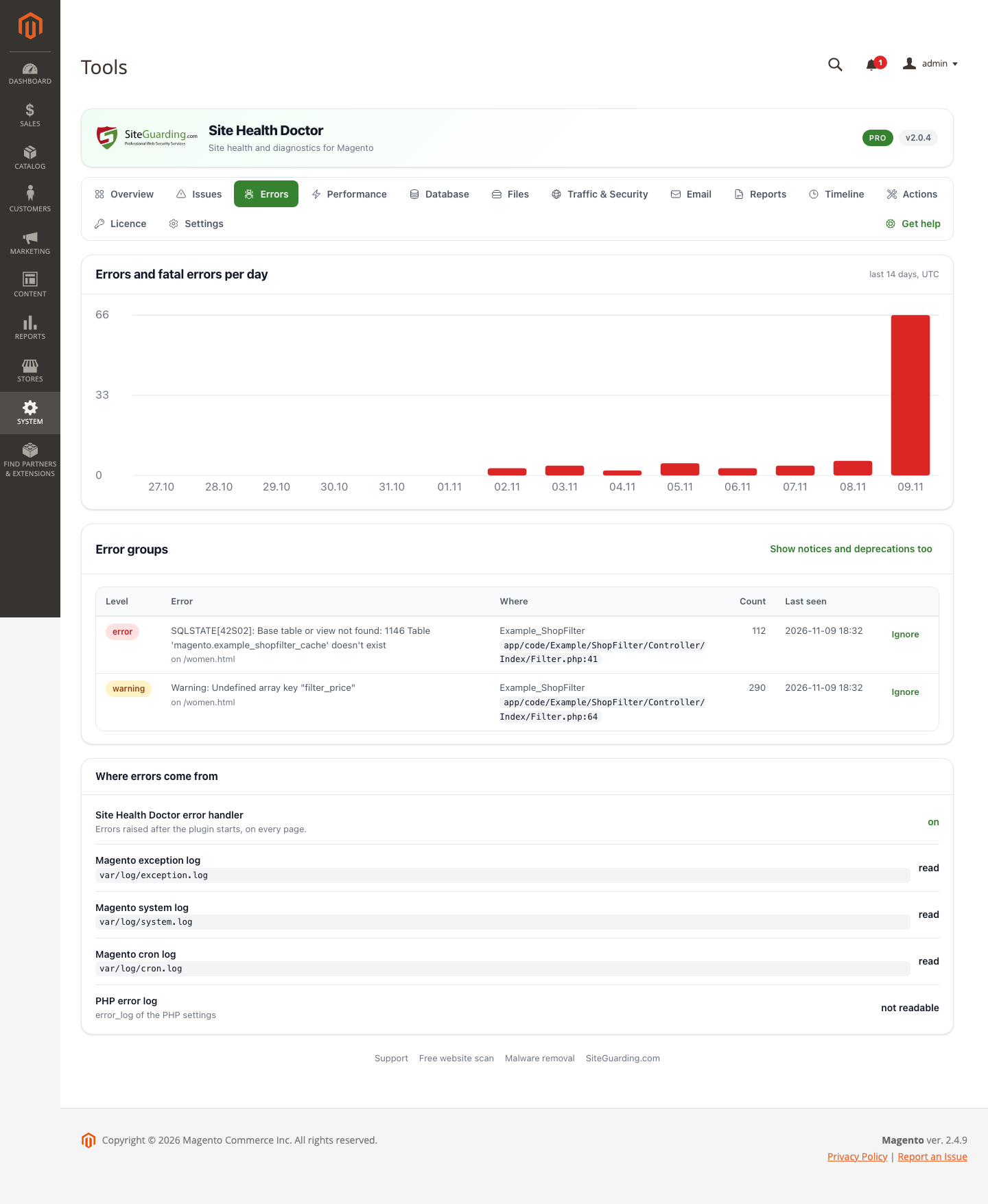
PHP errors. Reads the Magento logs (var/log) and the PHP error log, catches errors on the pages itself, groups the same error and tells which module or theme it comes from, and counts the error reports in var/report. A sudden spike of errors or a new fatal error becomes a problem on the Issues screen and an e-mail.
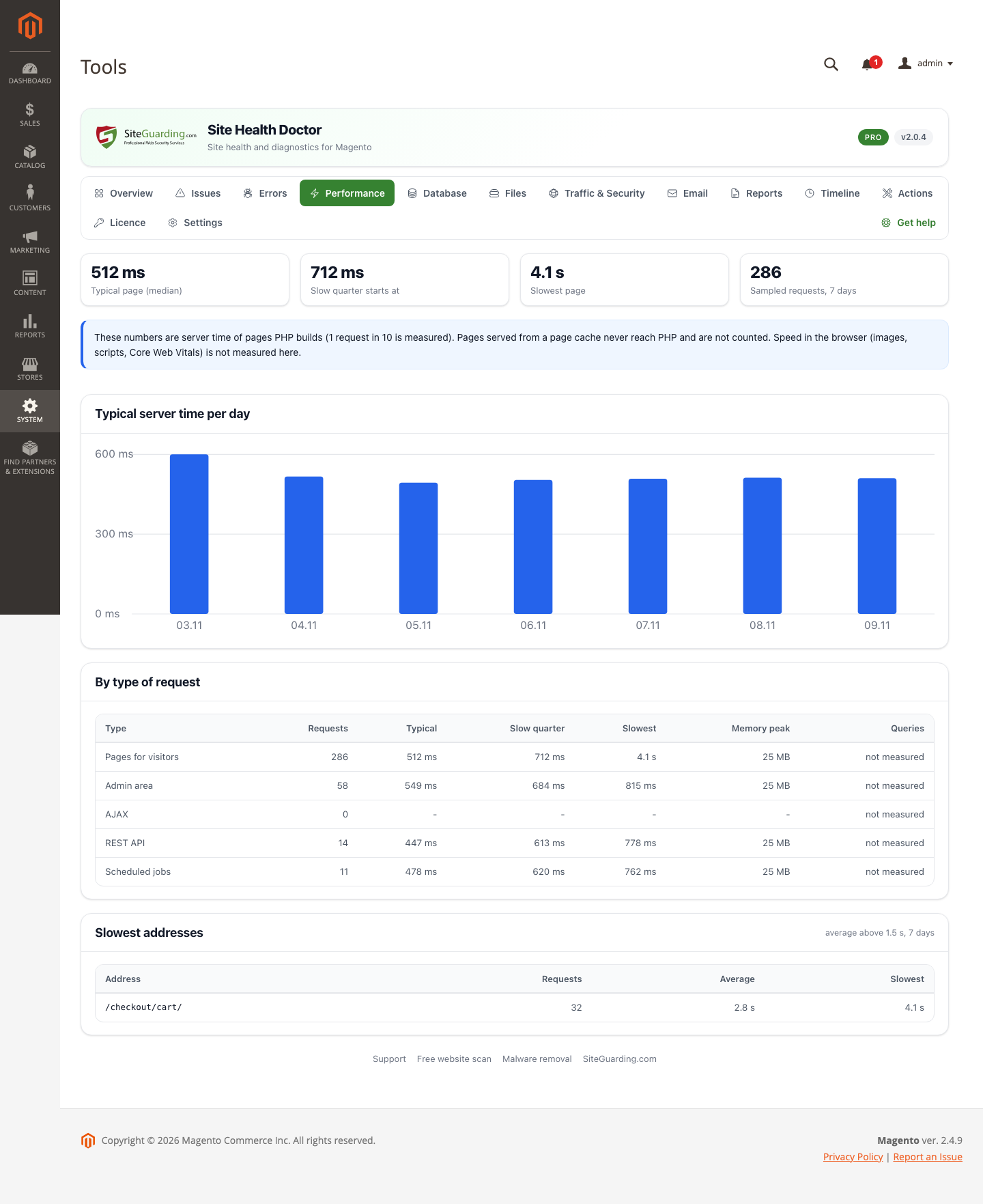
Server time. Measures 1 request in 10: time and memory, separately for shop pages, the admin, REST, GraphQL and the cron. Shows the slowest addresses and warns when the shop became slower than its own normal.
Magento speed settings. Cache types that are switched off, indexers that need attention, index updates that fall behind, the hit rate of the full page cache, blocks that switch the page cache off, sessions stored in files, no shared cache for configuration, OPcache settings that do not fit Magento and Xdebug left loaded.
Cron and scheduled tasks. Whether the cron of Magento runs on time, tasks that are stuck or failed, and a task table that grew too large.
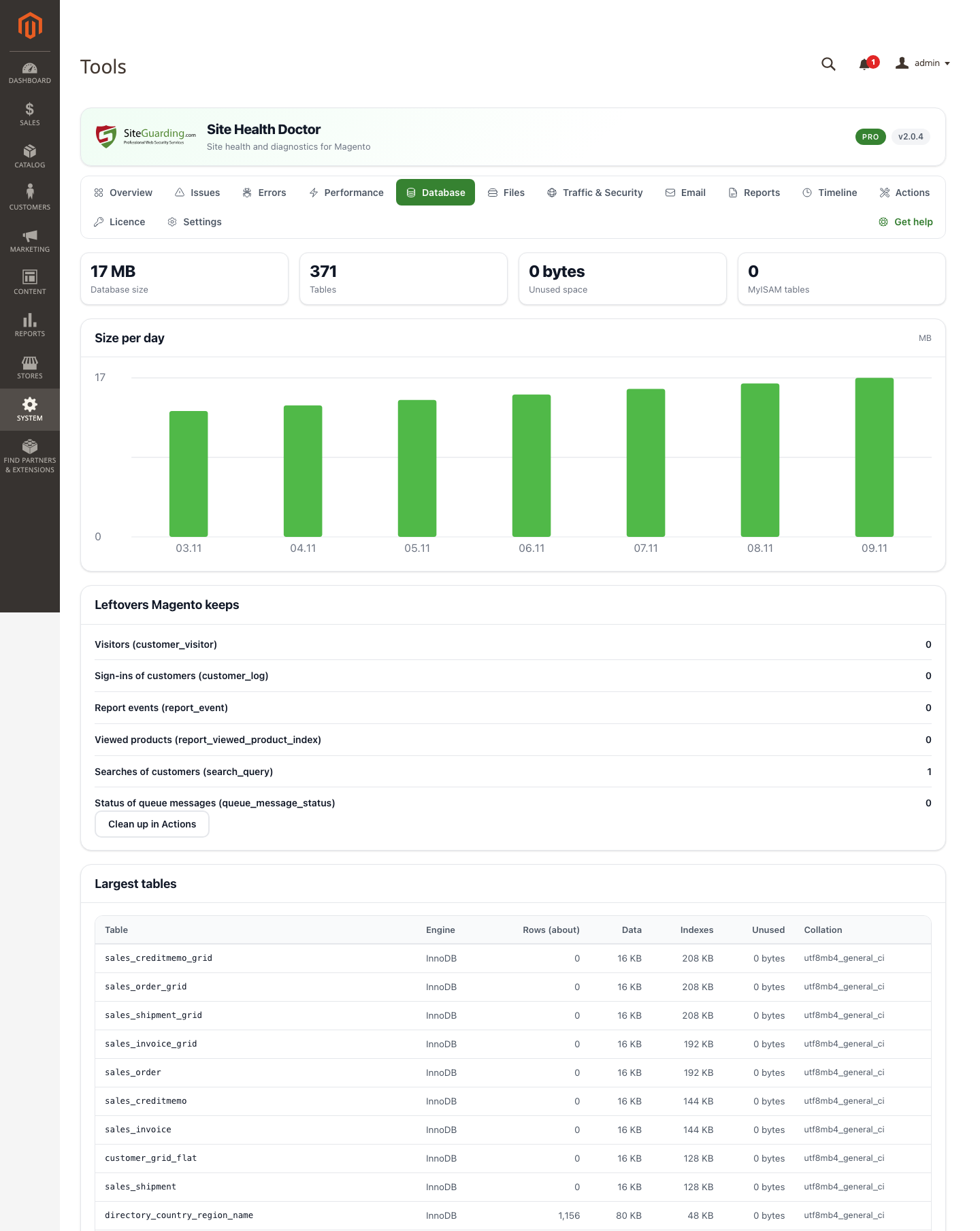
Database. Table sizes and growth, unused space, character sets, log and visitor tables that grew for nothing, and the version of the database server.
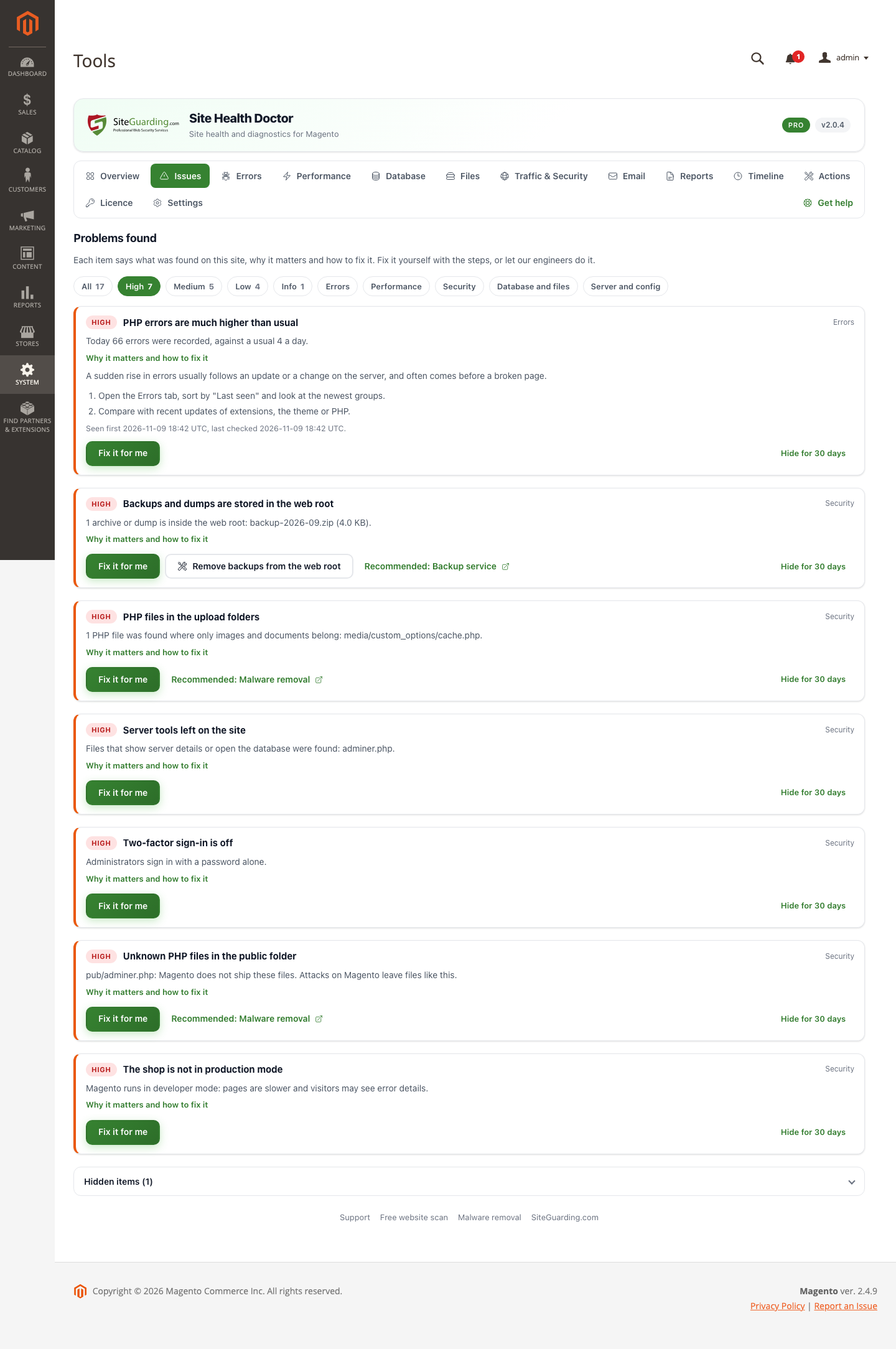
Files and disk. Free disk space, the largest files, archives and database dumps in pub/, PHP files in pub/media, foreign PHP files in pub/, server tools left on the site and an oversized var folder.
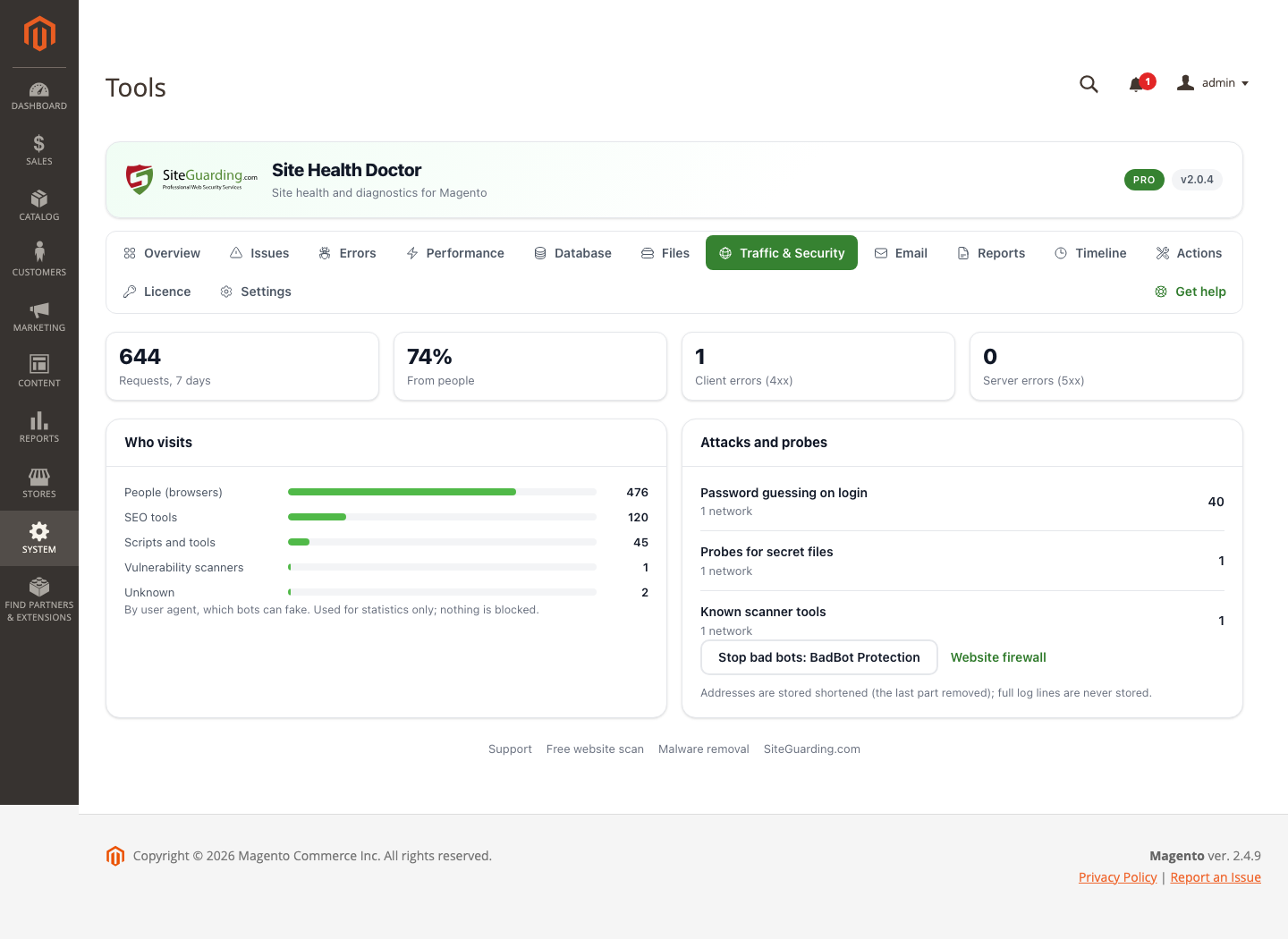
Security. A shop that is not in production mode, two-factor sign-in that is off, the default admin address, an administrator named admin, files such as auth.json or logs open to anyone, attacks and probes seen in the server access logs, password guessing on the customer and API logins, HTTPS, HSTS and the SSL certificate expiry, and the end of support of your Magento version.
E-mail. SPF, DKIM, DMARC and MX records of your domain, whether Magento sends mail through the sendmail program or SMTP, and a test message to check that mail from the shop arrives.
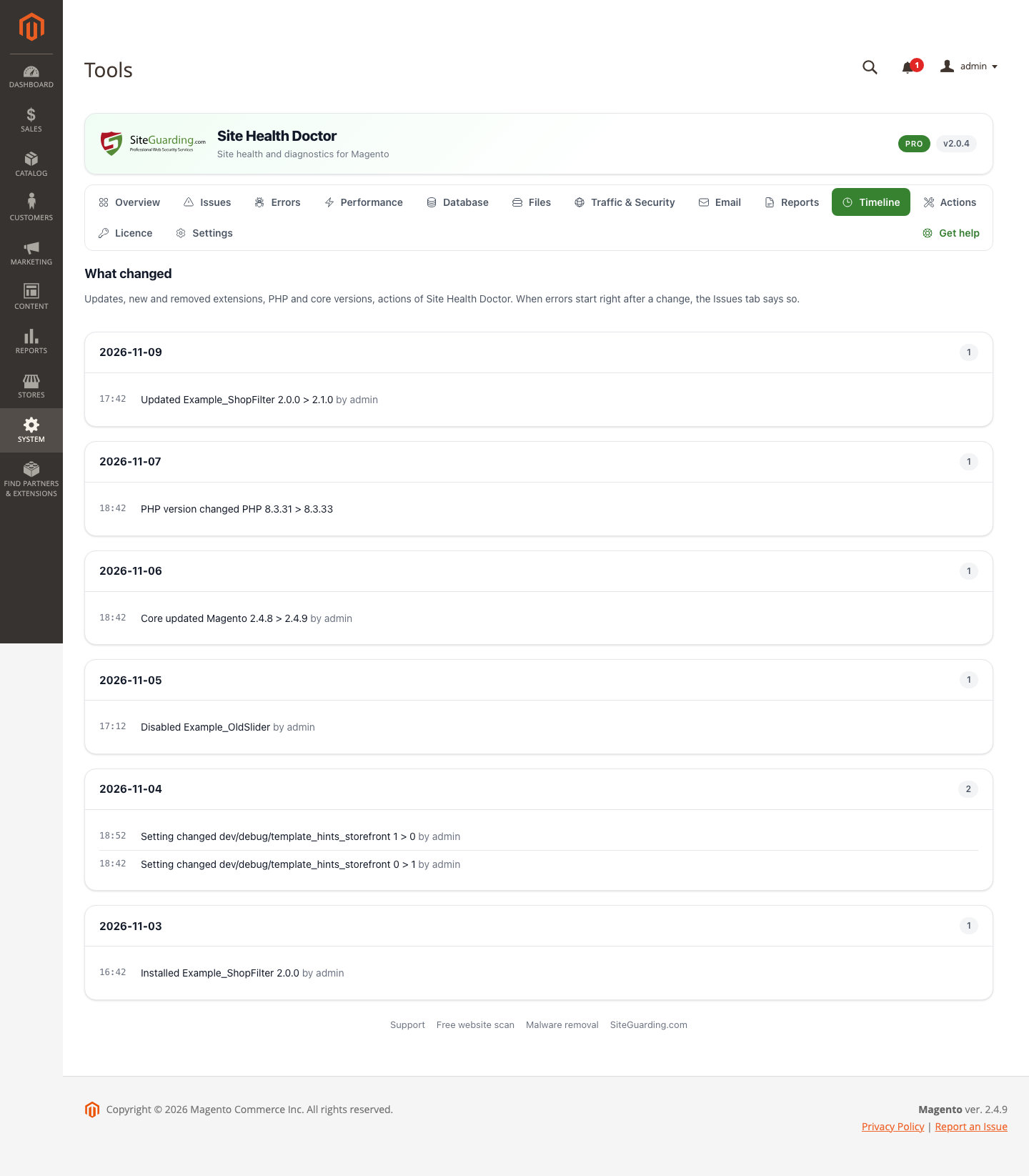
Server and PHP. PHP version and its end of support, memory limit, missing PHP extensions, a shop left in maintenance mode and whether the background checks run on time.
What you get
A health score from five areas: errors, performance, security, database and files, server and configuration. An area without data says "not measured" instead of pretending to be fine.
Every problem with the fix. What was found, why it matters and the steps to fix it, with the place in the Magento admin. Hide an item for 30 days if you decided to live with it.
Alerts by e-mail for critical problems, without the same alert again and again, and a message when the problem is gone.
A weekly e-mail with the score, new and fixed problems, errors and server time.
A printable report of the last 7 days: print it or save it as PDF from your browser.
Its own item in the admin menu: System > Tools > Site Health Doctor.
A command line check:bin/magento sgshd:status prints the score, the open problems and the state of the cron job.
Light on your server, private by design
A visitor request never waits for the module: no database query and no outside request runs during a visit. Only 1 request in 10 writes one line to a file.
The analysis runs in the background in short portions from the cron of Magento.
Everything is collected and stored on your own server. No account and no connection to SiteGuarding are needed; the module only asks siteguarding.com, from the admin pages, whether a new version is out.
Visitor addresses are shortened before they are stored, page addresses are kept without the query string, and full log lines are never kept.
Screenshots
Fix it yourself, or let us do it
Every problem comes with the steps to fix it. If you would rather not do it yourself, the button next to the problem sends it to our engineers:
Fix it for me. Our engineer checks the problem and tells you the price before any work starts. Price after review.
Emergency help. The shop is down or shows fatal errors: we bring it back online and find the cause. Price after review.
Site health audit. Our engineer reviews the whole shop and sends you a report with the causes and a fix plan. Price after review.
No. Visitor requests do not query the database or call anything outside. Only 1 request in 10 writes one line to a file, and all analysis runs in the background.
Does it change anything in my shop?
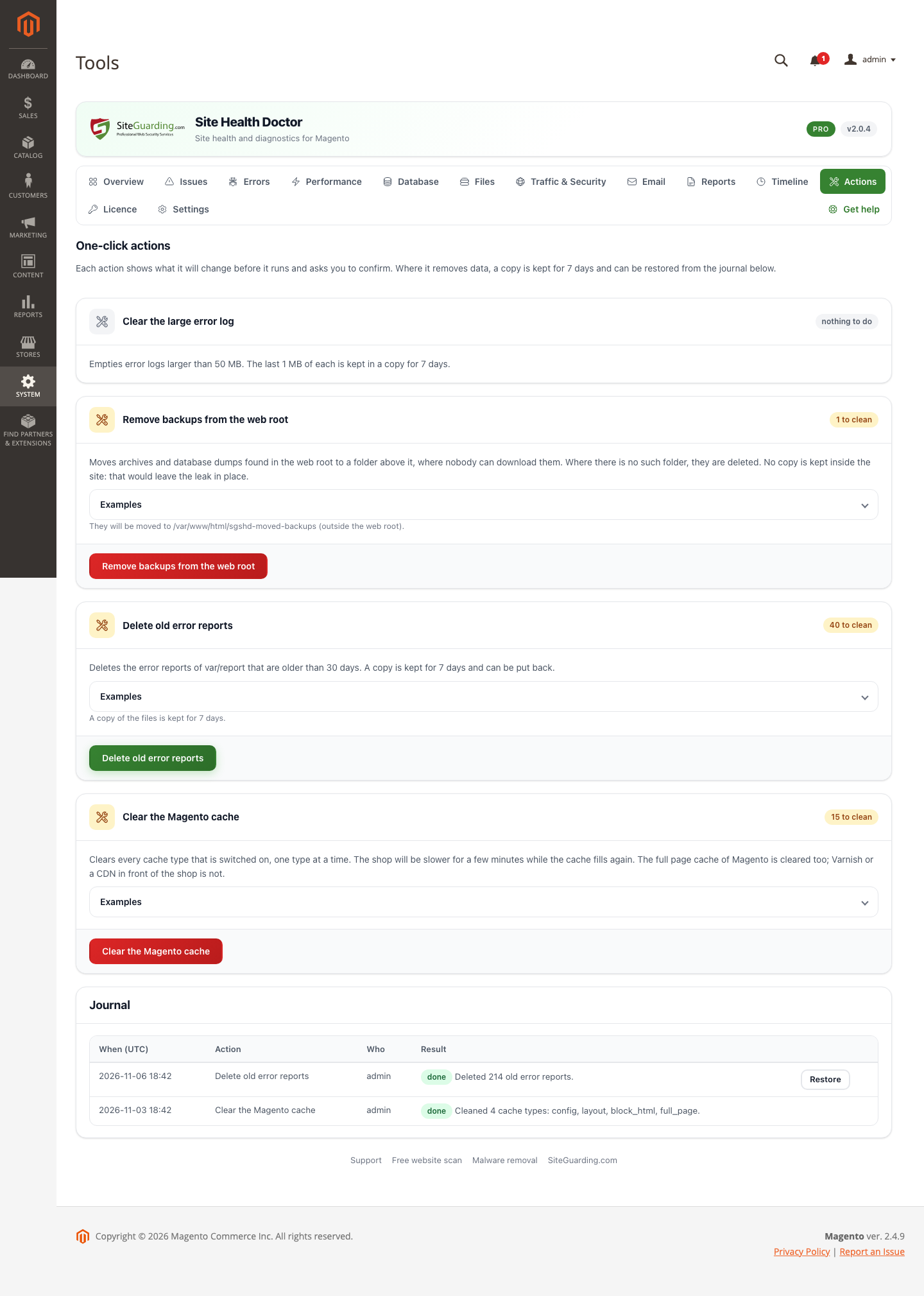
Only when you ask. The module checks and reports. The one-click clean-ups of Pro run only when you press the button, show what they will change first, keep a journal and, where they remove data, a copy for 7 days.
Where does it keep its data?
In its own database tables (sgshd_*) and in the folder var/sgshd inside your shop, outside the web root. Nothing about your shop is sent to SiteGuarding.
Do I need an account?
No. The free module works without an account and without a licence key.
Which Magento versions are supported?
Magento Open Source 2.4.7 or newer with PHP 8.2 or newer, tested on 2.4.7, 2.4.8-p5 and 2.4.9. Adobe Commerce and Mage-OS are not tested.
Does it need the cron?
Yes. The background checks are a job of the Magento cron. Without the cron the module shows the screens, but the numbers do not update, and the module tells you so.
Does it work with several websites or store views in one installation?
The module is for the whole installation and treats it as one site: it checks the installation once, with one set of settings and one history.
I use Varnish. What does the module see?
Varnish serves cached pages without Magento, so the module measures the pages that reach PHP, the cache misses. The server time it shows is the time of those pages.
Does it count SQL queries or profile the code?
No. It measures the time and memory of requests, not the number of queries, and it has no profiler.
What happens when I remove the module?
Magento does not tell a module when it is removed. Run bin/magento sgshd:remove-data --force first if you want the data gone, then disable the module and delete its folder. The steps are in the README of the module.
Requirements
Magento Open Source 2.4.7 or newer (tested on 2.4.7, 2.4.8-p5 and 2.4.9) with PHP 8.2 or newer. The Magento cron must run. The test shops ran on MySQL 8.
Download
Free, no account needed. The files inside go to app/code/Siteguarding/SiteHealthDoctor: unpack the file into the Magento folder as it is.
1. Unpack magento-site-health-doctor.zip into the Magento folder.
2. As the user of the shop, run: bin/magento module:enable Siteguarding_SiteHealthDoctor, then bin/magento setup:upgrade --keep-generated, then bin/magento cache:flush. In production mode also run bin/magento setup:di:compile before the cache flush (and put the shop in maintenance mode while you do it).
3. Open System > Tools > Site Health Doctor in the admin. The first checks start at once; some numbers appear after a day of data.
Pro: unpack the Pro file the same way next to the free module, run the same commands for Siteguarding_SiteHealthDoctorPro, and enter your licence key in Site Health Doctor > Licence.
Updates
The screens of the module show a notice when a new version is out, with a download link and the steps. Unpack the new file over the old one and run the same commands. Settings and history stay. If your PHP runs with opcache.validate_timestamps=0, restart PHP-FPM after the update.
Changelog
2.0.4 First version for Magento Open Source 2.4.7 to 2.4.9, on one core with the WordPress, Joomla, OpenCart and PrestaShop editions: checks with explanations and the steps to fix them, a health score by area, PHP errors from the Magento logs grouped by module, sampled server time and slow addresses, cache, indexer, cron and database checks, archives and tools in pub/, security checks for the admin and the shop, mail checks, a printable report, a weekly e-mail and a command line check.
Our website uses cookies, which help us to improve our site and enables us to deliver the best possible service and customer experience. See our policyAccept