Joomla Extension

Site Health Doctor for Joomla

Find what is wrong with your site before your visitors do. PHP errors and the extension behind them, slow pages, database, disk, security, mail and updates, each with a plain explanation and the steps to fix it.

Last Update: 28 Oct 2026
Version: 2.0.1
Compatibility: Joomla 4.2 or newer (tested up to 6.1), PHP 7.2.5 or newer

Why a site health check

A site rarely breaks all at once. An extension starts throwing warnings, pages get slower week by week, the disk fills up with forgotten backups, the mail records of the domain are incomplete, a backup archive lies in the web root where anyone can download it. Site Health Doctor watches all of this on your own server and tells you, in plain words, what is wrong, why it matters and how to fix it.

What it checks

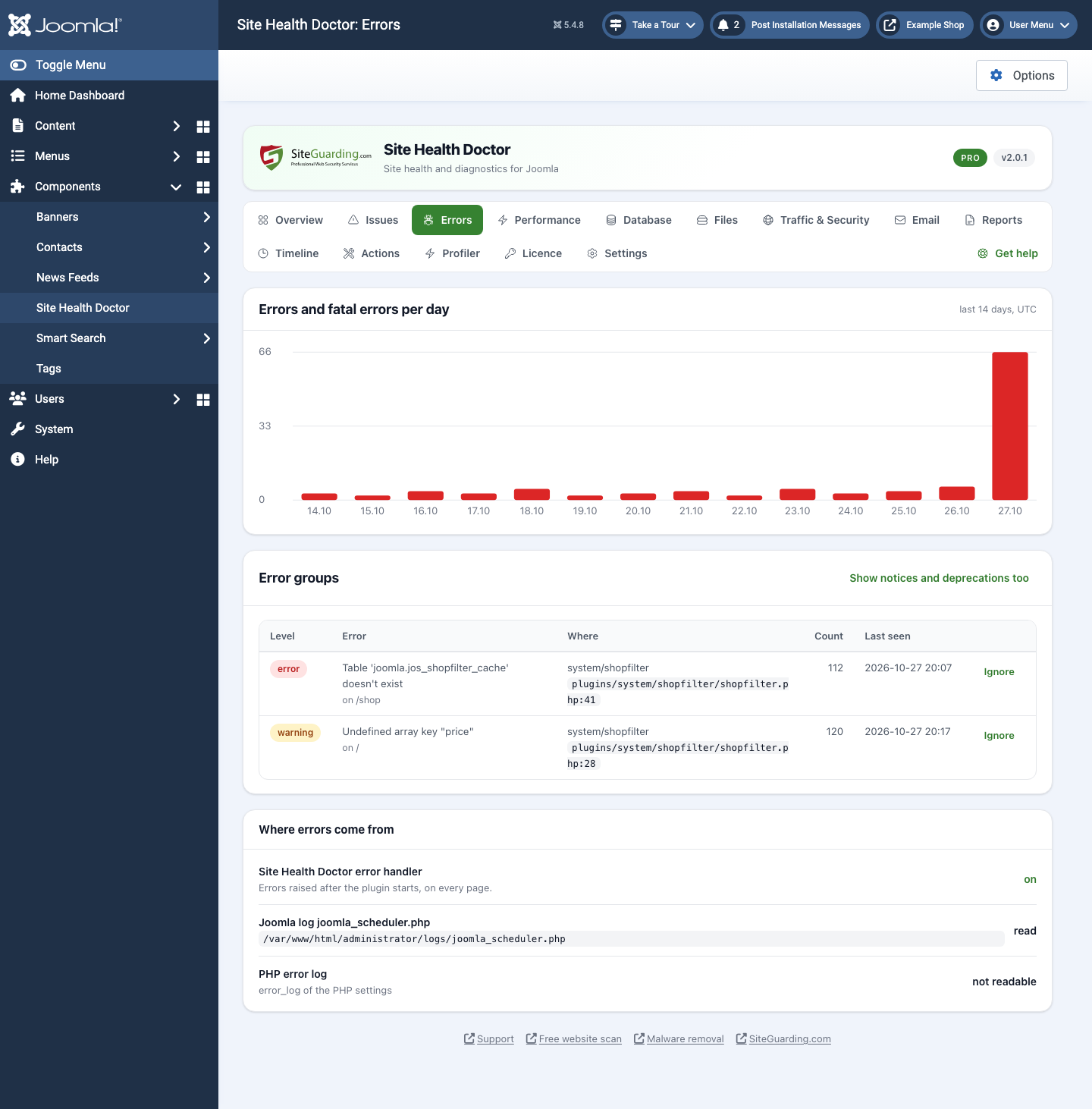
  • PHP errors. Reads the Joomla log folder and the PHP error log, catches errors on the pages itself, groups the same error and tells which extension or template it comes from. A sudden spike of errors or a new fatal error becomes a problem on the Issues screen and an e-mail.
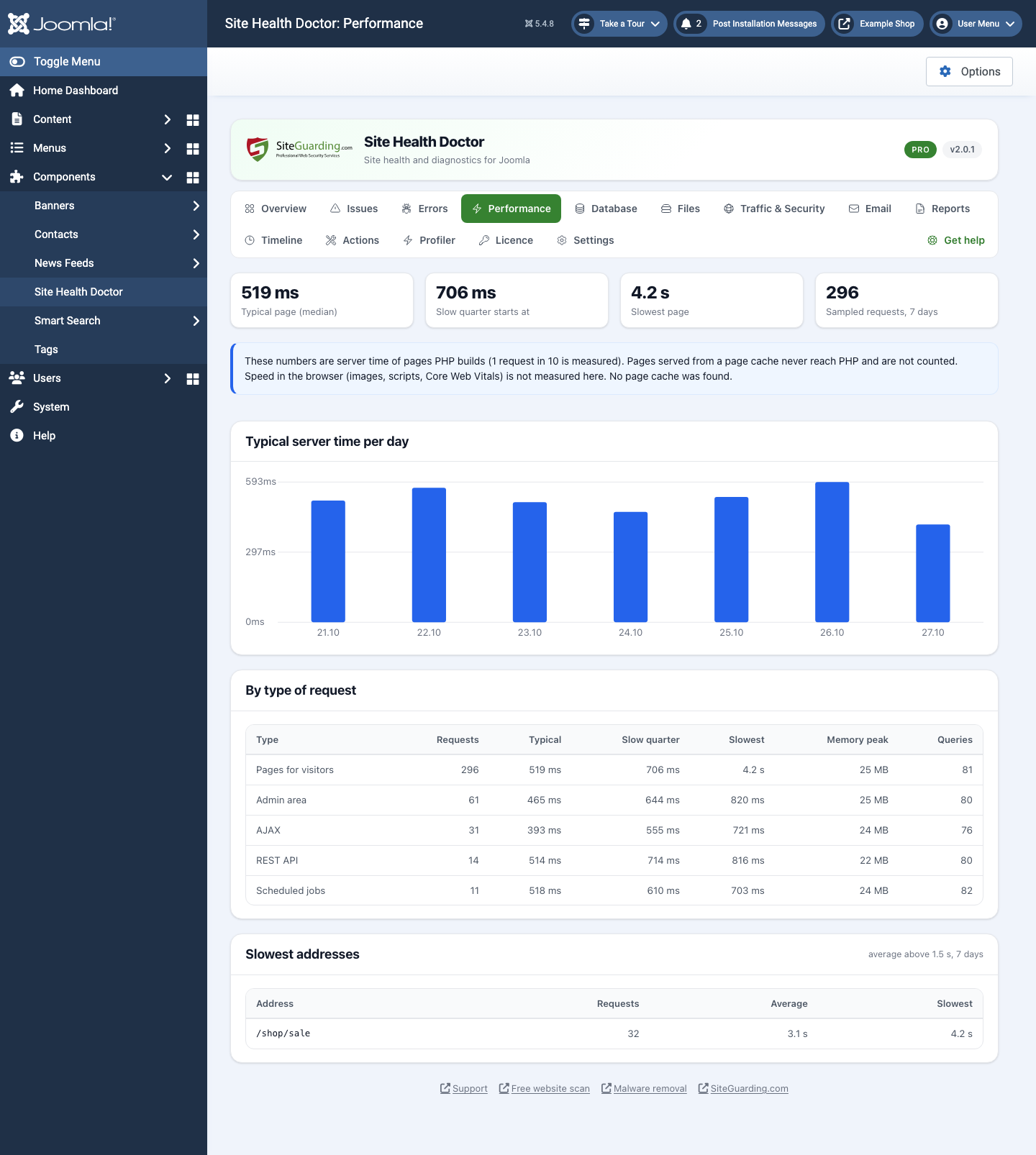
  • Server time. Measures 1 request in 10: time, memory and database queries, separately for site pages, administrator pages, AJAX, the Joomla API and Scheduled Tasks. Shows the slowest addresses and warns when the site became slower than its own normal.
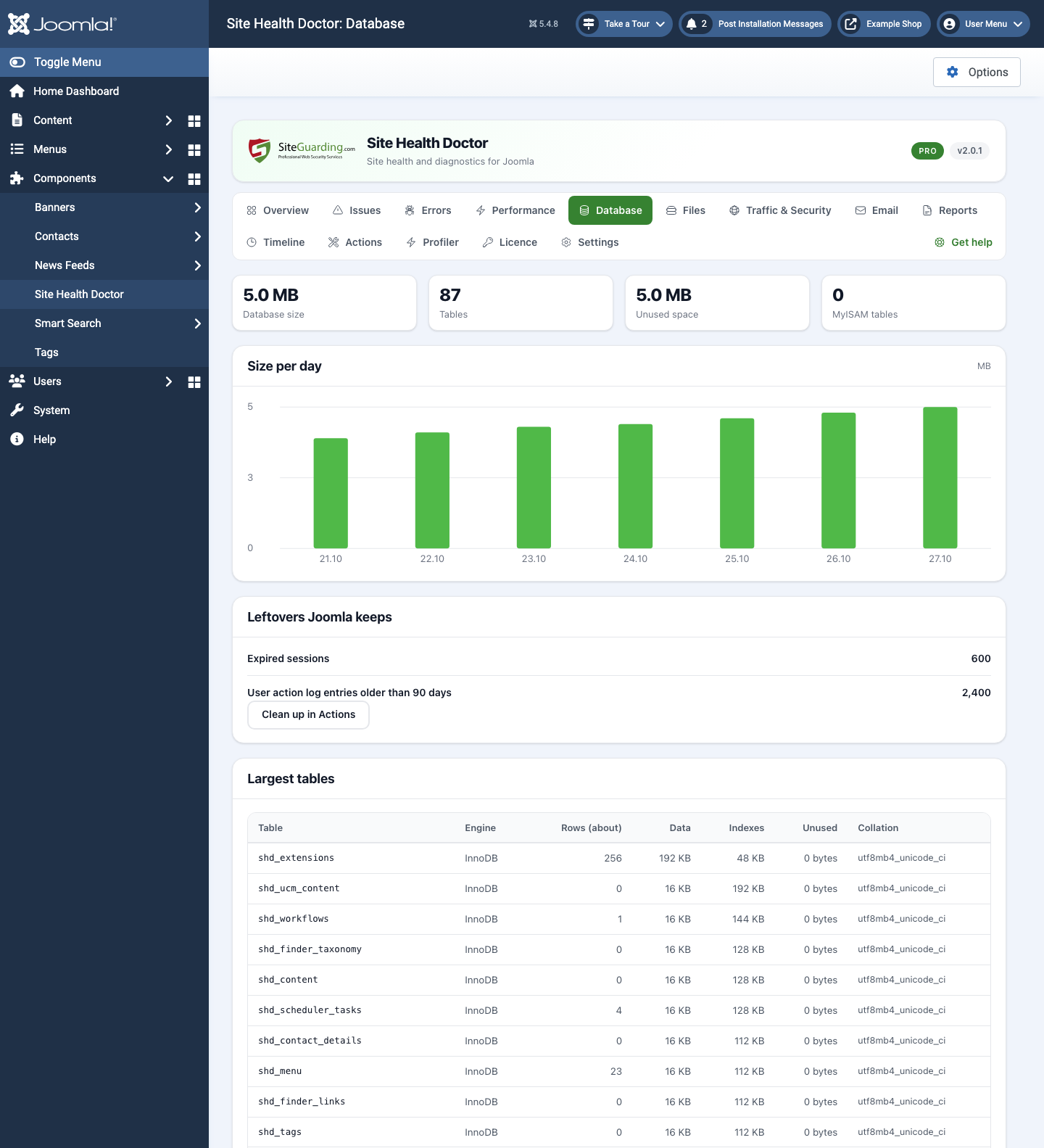
  • Database. Table sizes and growth, MyISAM tables, unused space, expired sessions and old entries of the User Actions Log, and the version of the database server.
  • Files and disk. Free disk space, the largest files, archives and database dumps in the web root, PHP files in the images folder, server tools left on the site, the installation folder, and the permissions of configuration.php.
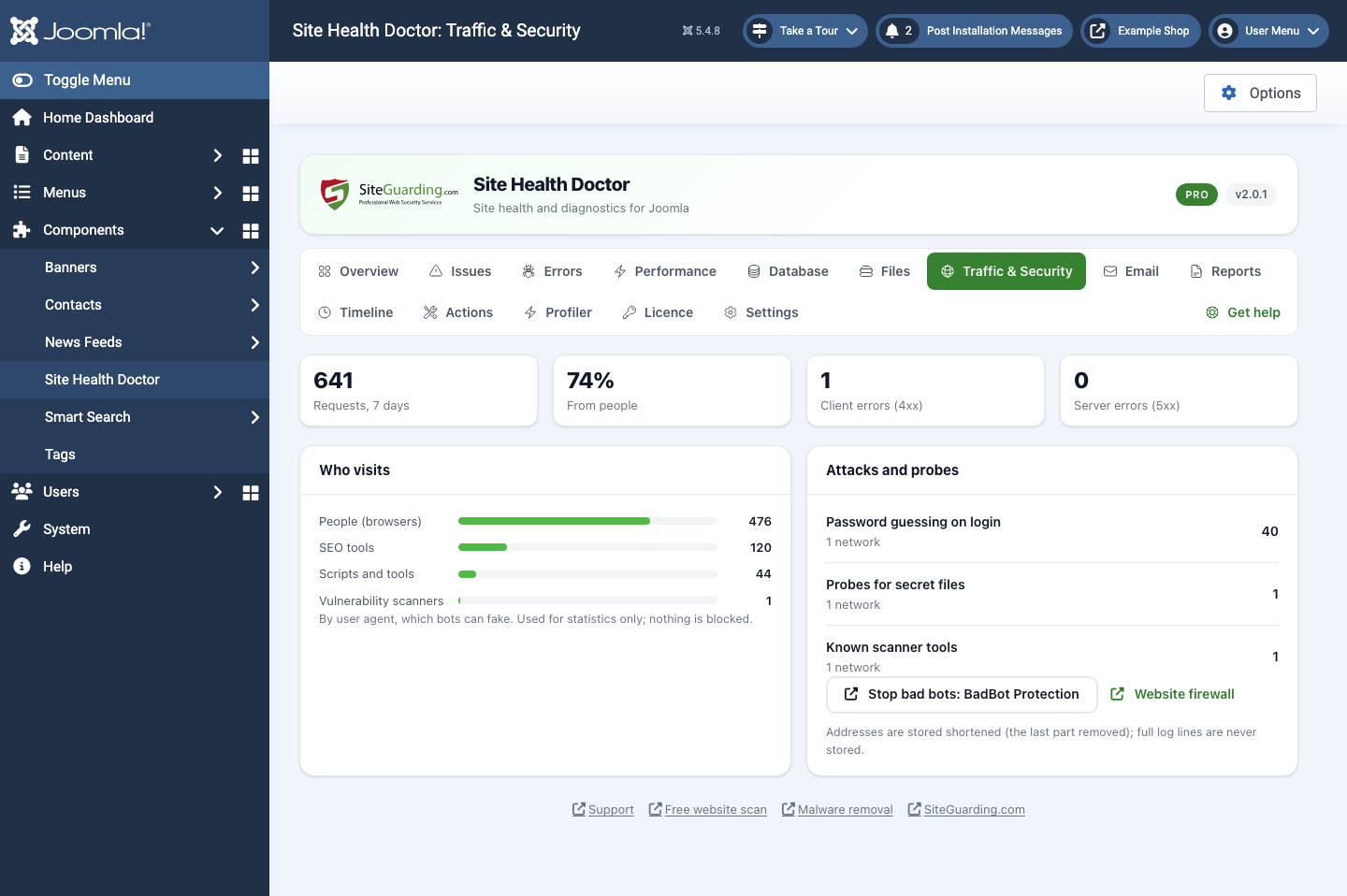
  • Security. Debug System and maximum Error Reporting on a live site, a user named admin, outdated and disabled extensions, disabled update sites, files such as .env open to anyone, attacks and password guessing seen in the server access logs, HTTPS, HSTS and the SSL certificate expiry.
  • E-mail. SPF, DKIM, DMARC and MX records of your domain, and whether Joomla sends mail through PHP mail or SMTP.
  • Server and Joomla. PHP version and its end of support, memory limit, OPcache, missing PHP extensions, Joomla updates, the Joomla cache, Scheduled Tasks that are late, temp and log folders that stopped working after a move, a site left offline.

What you get

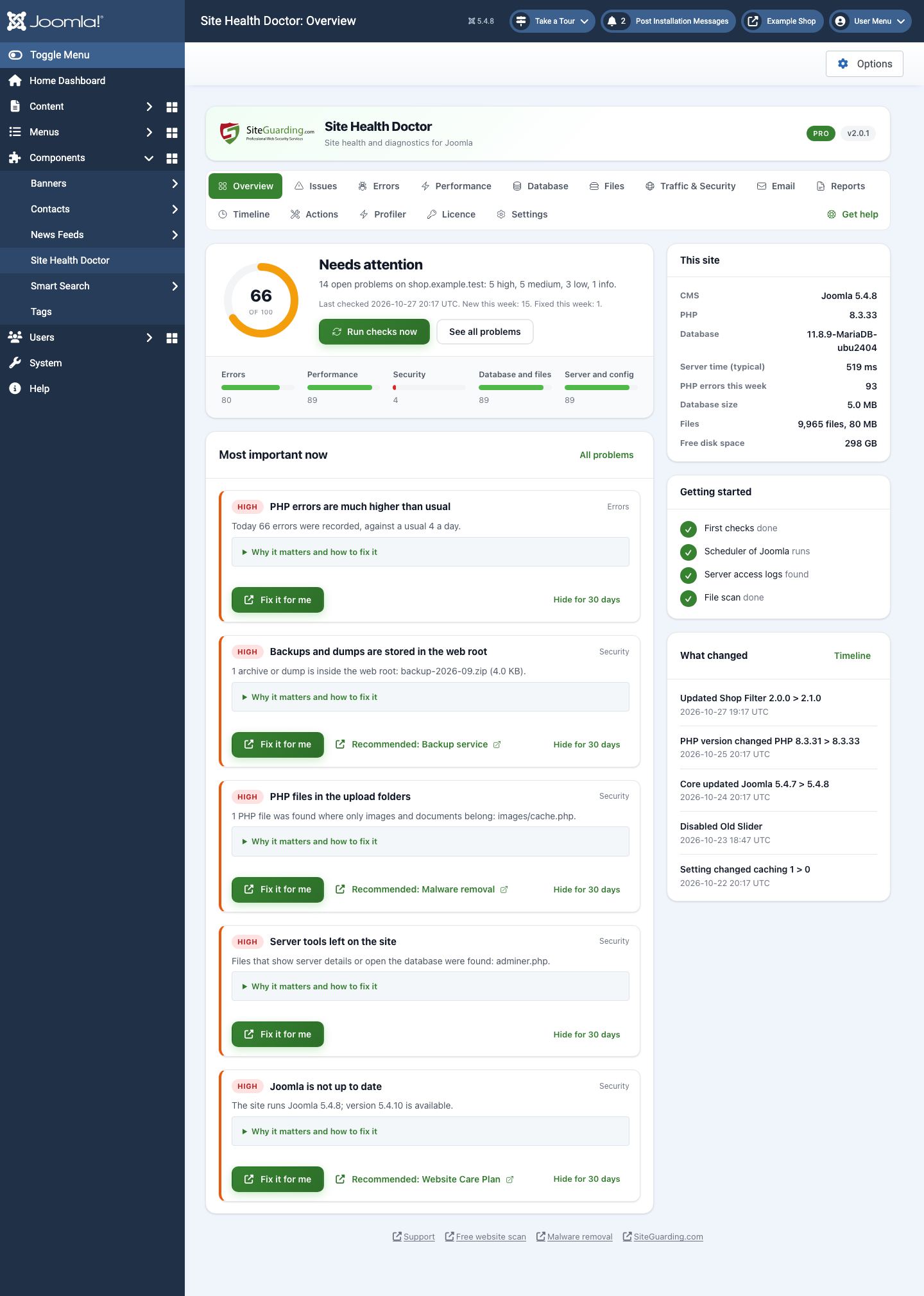
  • A health score from five areas: errors, performance, security, database and files, server and configuration. An area without data says "not measured" instead of pretending to be fine.
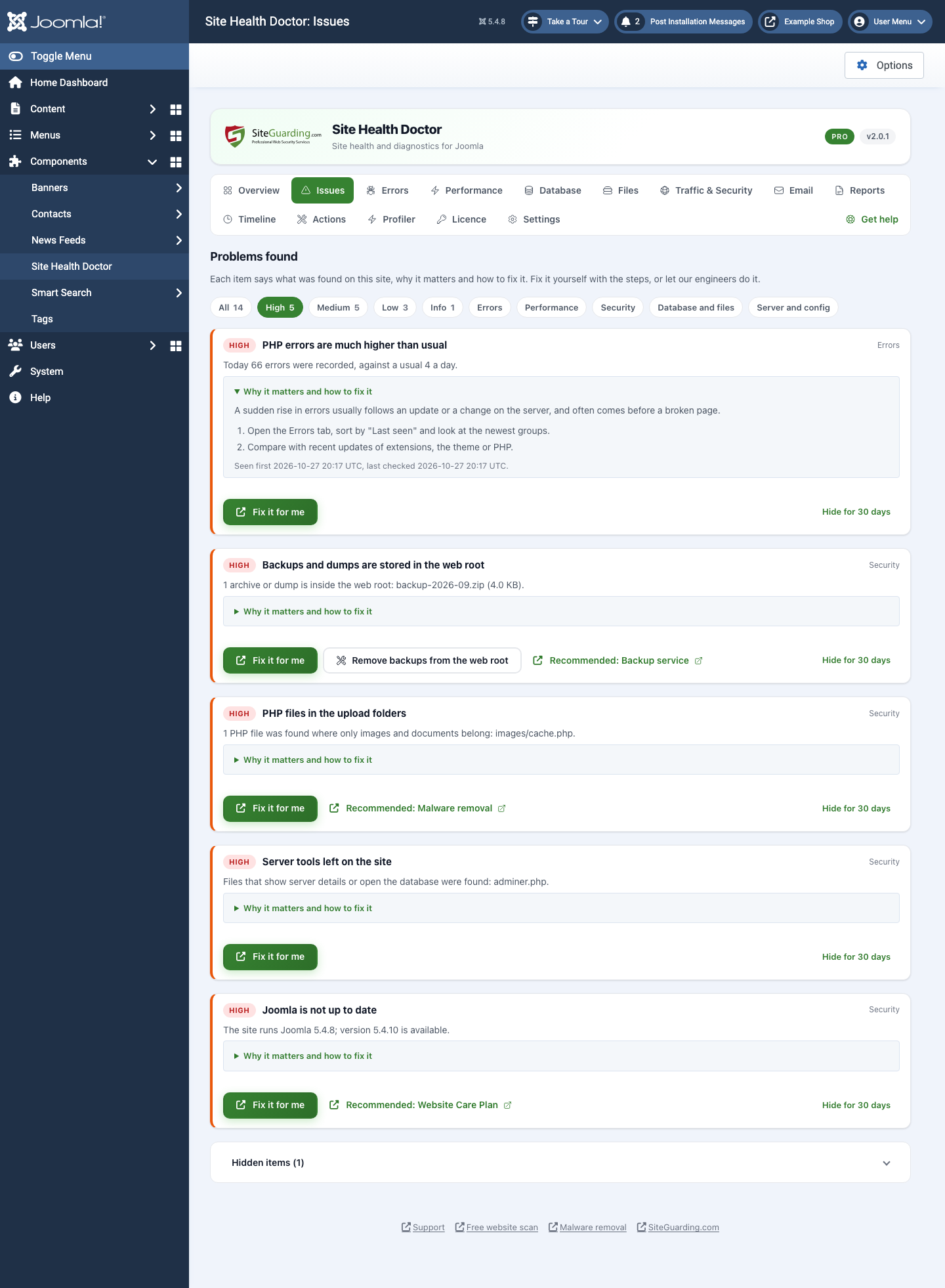
  • Every problem with the fix. What was found, why it matters and the steps to fix it, with the place in the Joomla administrator. Hide an item for 30 days if you decided to live with it.
  • Alerts by e-mail for critical problems, without the same alert again and again, and a message when the problem is gone.
  • A weekly e-mail with the score, new and fixed problems, errors and server time.
  • A printable report of the last 7 days: print it or save it as PDF from your browser.
  • Joomla CLI: php cli/joomla.php sitehealthdoctor:status, sitehealthdoctor:issues, sitehealthdoctor:run and sitehealthdoctor:report.
Light on your server, private by design

  • A visitor request never waits for the extension: no database query and no outside request runs during a visit. The work is done in the background every 5 minutes by a Joomla Scheduled Task, in short portions.
  • Everything is collected and stored on your own server. No account and no connection to SiteGuarding are needed; only the Joomla update check asks siteguarding.com for new versions of the extension.
  • Visitor addresses are shortened before they are stored, page addresses are kept without the query string, and full log lines are never kept.

Fix it yourself, or let us do it

Every problem comes with the steps to fix it. If you would rather not do it yourself, the button next to the problem sends it to our engineers:

  • Fix it for me. Our engineer checks the problem and tells you the price before any work starts. Price after review.
  • Emergency help. The site is down or shows fatal errors: we bring it back online and find the cause. Price after review.
  • Site health audit. Our engineer reviews the whole site and sends you a report with the causes and a fix plan. Price after review.

Free and Pro

Free Site Health Doctor
Site Health Doctor Pro
All checks, the health score, problems with the steps to fix them YES
PHP errors, server time, database, files, traffic, mail YES
History 7 days
Alerts E-mail
Weekly e-mail and printable report YES
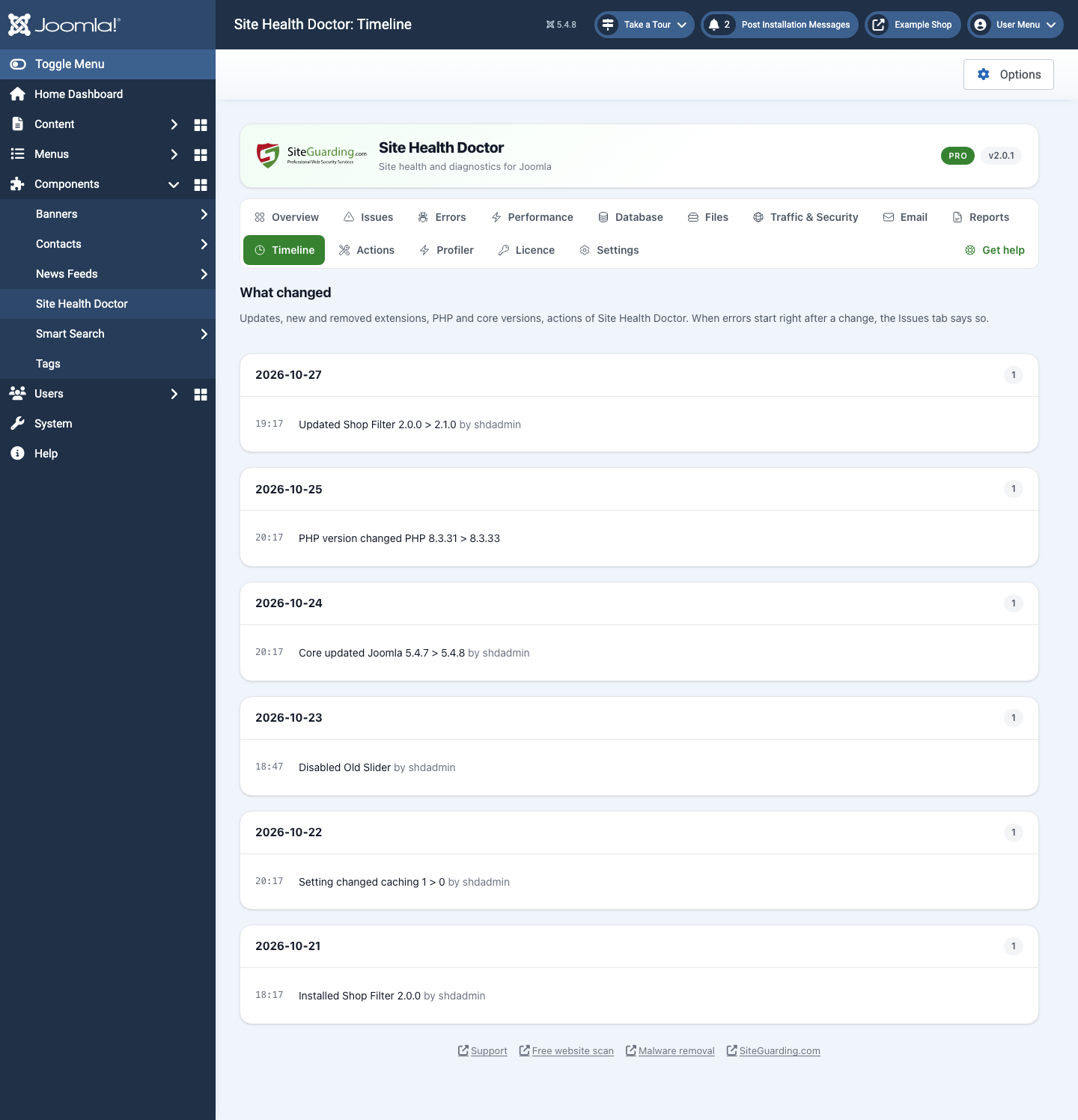
Timeline: what changed before it broke -
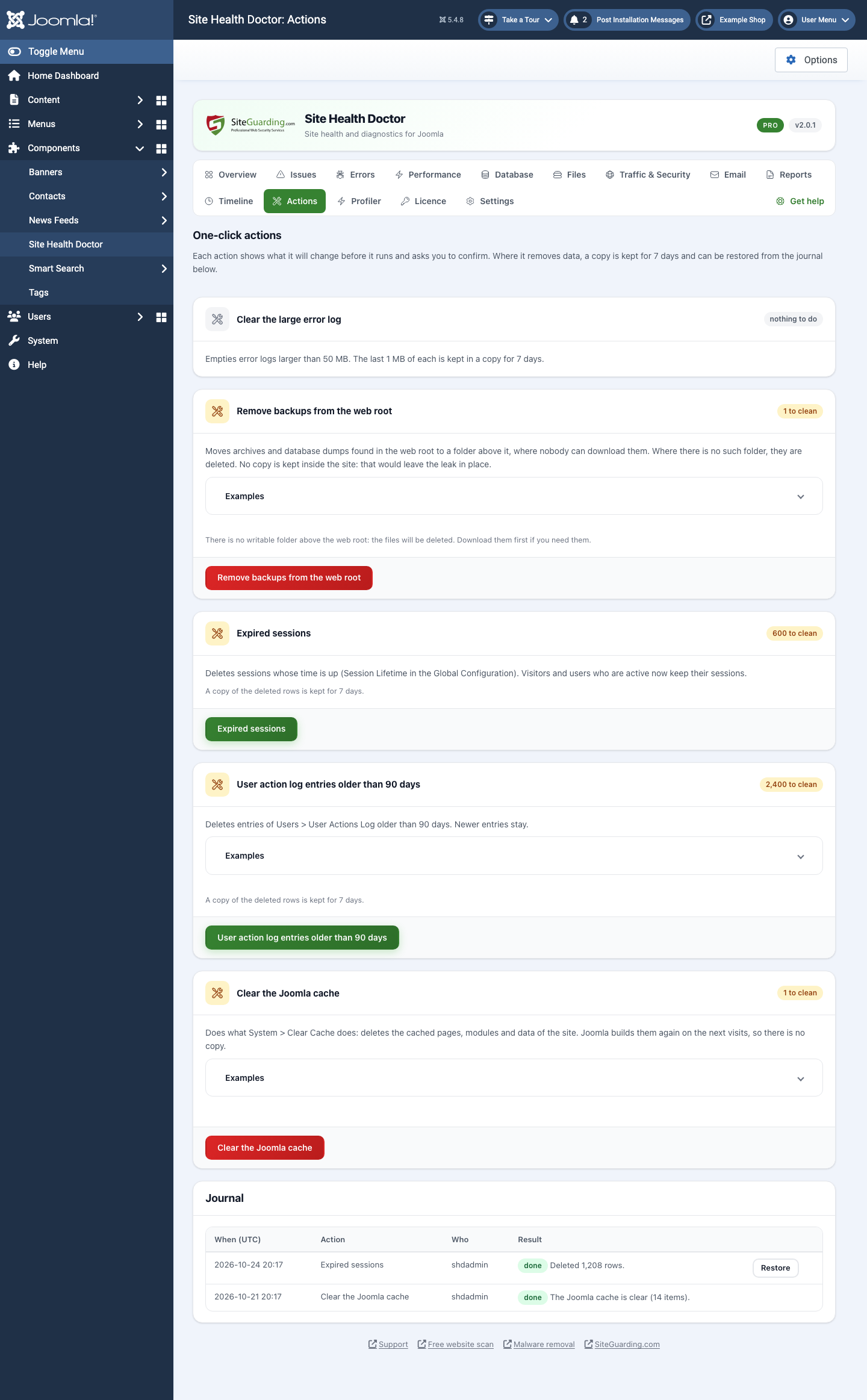
One-click clean-ups with a copy for 7 days -
Monthly report by e-mail with your own brand -
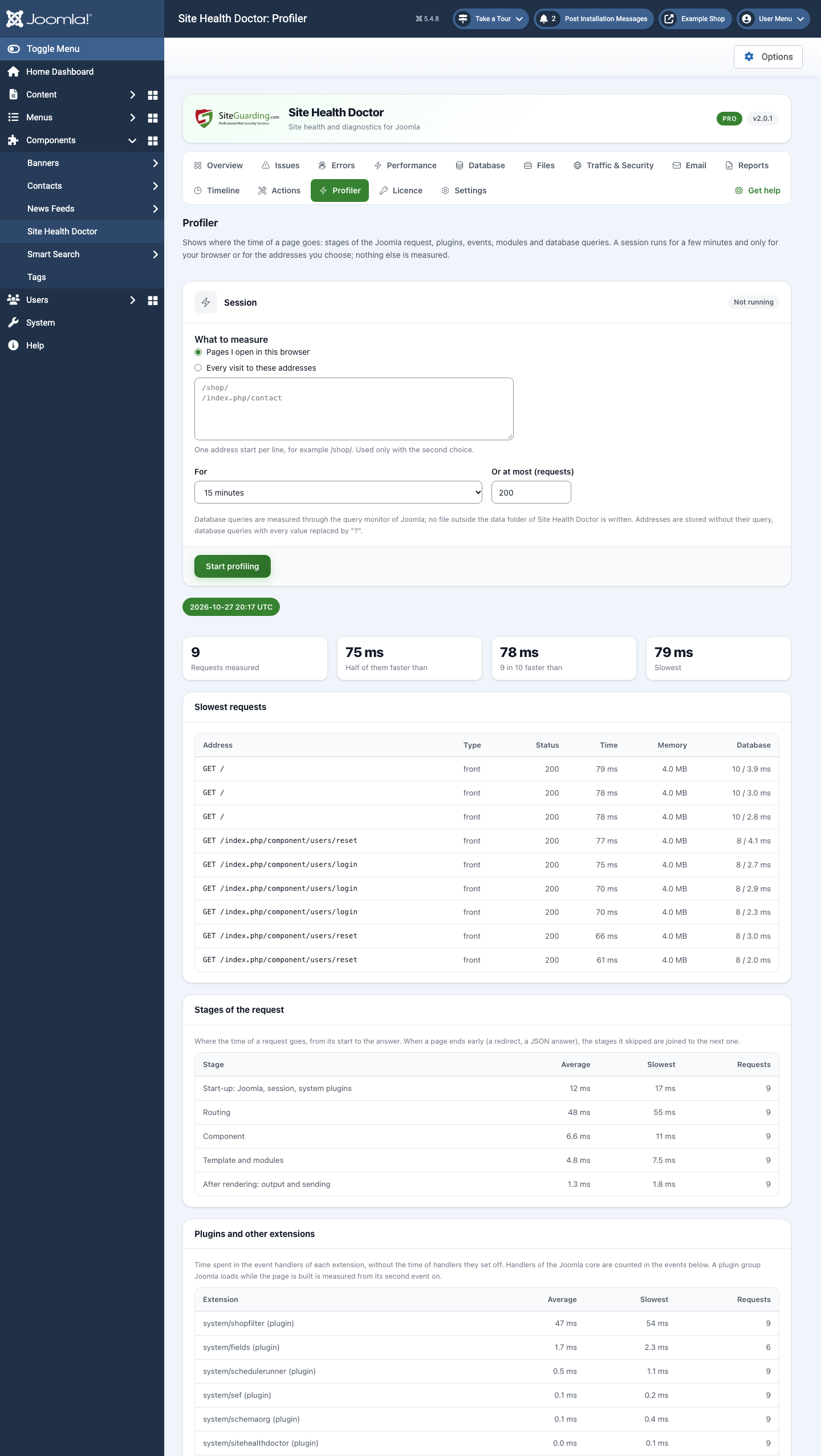
Profiler: request stages, extensions, events, modules and database queries -

Pro is an add-on to the free extension, with a 14-day free trial.

FAQ

Does it slow my site down?

No. Visitor requests do not query the database or call anything outside. Only 1 request in 10 writes one line to a file, and all analysis runs in the background.

Does it change anything on my site?

Only when you ask. The extension checks and reports. The one-click clean-ups of Pro run only when you press the button, show what they will change first and keep a copy for 7 days.

Where does it keep its data?

In its own database tables and in the folder administrator/components/com_sitehealthdoctor/data. Nothing about your site is sent to SiteGuarding.

Do I need an account?

No. The free extension works without an account and without a licence key.

How do the background checks run?

The package adds the Scheduled Task "Site Health Doctor" (every 5 minutes) in System > Scheduled Tasks. With the lazy scheduler of Joomla it runs while the site gets visits; for exact timing, use the web cron of Joomla or a cron job on the server.

The Traffic screen says that no access log was found.

Server access logs are not readable for PHP on every hosting. On cPanel, turn on "Archive logs" in Raw Access, or enter the path of the log file in Settings. Everything else works without access logs.

What happens when I remove the extension?

Uninstalling the package removes the extension and its Scheduled Task. The data stays unless you ticked "Delete all data when Site Health Doctor is uninstalled" in Settings.

Requirements

Joomla 4.2 or newer (tested up to 6.1), PHP 7.2.5 or newer (tested up to 8.4).

Download

Free, no account needed. Joomla 4.2 or newer, PHP 7.2.5 or newer.

Installation

1. In Joomla, open System > Install > Extensions > Upload Package File and choose the zip file.

2. The package installs the component, its plugins and the Scheduled Task and turns them on. The first checks start at once.

3. Open Components > Site Health Doctor. Some numbers appear after a day of data.

Pro: install the Pro package the same way, next to the free extension, and enter your licence key in Components > Site Health Doctor > Licence.

Updates

Both packages update from siteguarding.com in System > Update > Extensions, like any other Joomla extension.

Changelog

2.0.1
First version for Joomla 4.2 to 6: checks with explanations and the steps to fix them, a health score by area, PHP errors grouped by extension and template, sampled server time and slow addresses, database and disk, archives in the web root, bots and attacks from the access logs, SPF, DKIM, DMARC and MX records, Joomla settings (Debug System, Error Reporting, cache, temp and log folders, offline mode, update sites), alerts, weekly e-mail, printable report, a Scheduled Task and Joomla CLI commands.

Live Chat Support
Our website uses cookies, which help us to improve our site and enables us to deliver the best possible service and customer experience. See our policy Accept