Get 35% OFF with Black Friday coupon BLACKFRI2026  |  Plus 3 months of free hosting →
WordPress Plugin

Admin Bruteforce Protection for WordPress

Bots try thousands of passwords on every WordPress site, every day. Close the door before they get in: limits and growing bans, logins only from your countries, a login address only you know, a security check without third parties, and two-factor for administrators.

Last Update: 29 Nov 2026
Version: 2.0
Compatibility: WordPress 5.9 or newer (tested up to 7.1), PHP 7.2 or newer

Why protect the login

Bots do not look for your site, they look for any login form. They try common usernames and leaked passwords day and night, through the login page, XML-RPC and the REST API. Each attempt costs your server time, and one weak password is enough to lose the site. Admin Bruteforce Protection counts every failed login on every entry point, bans the addresses that guess, and makes the login itself harder to find and harder to pass.
What it does

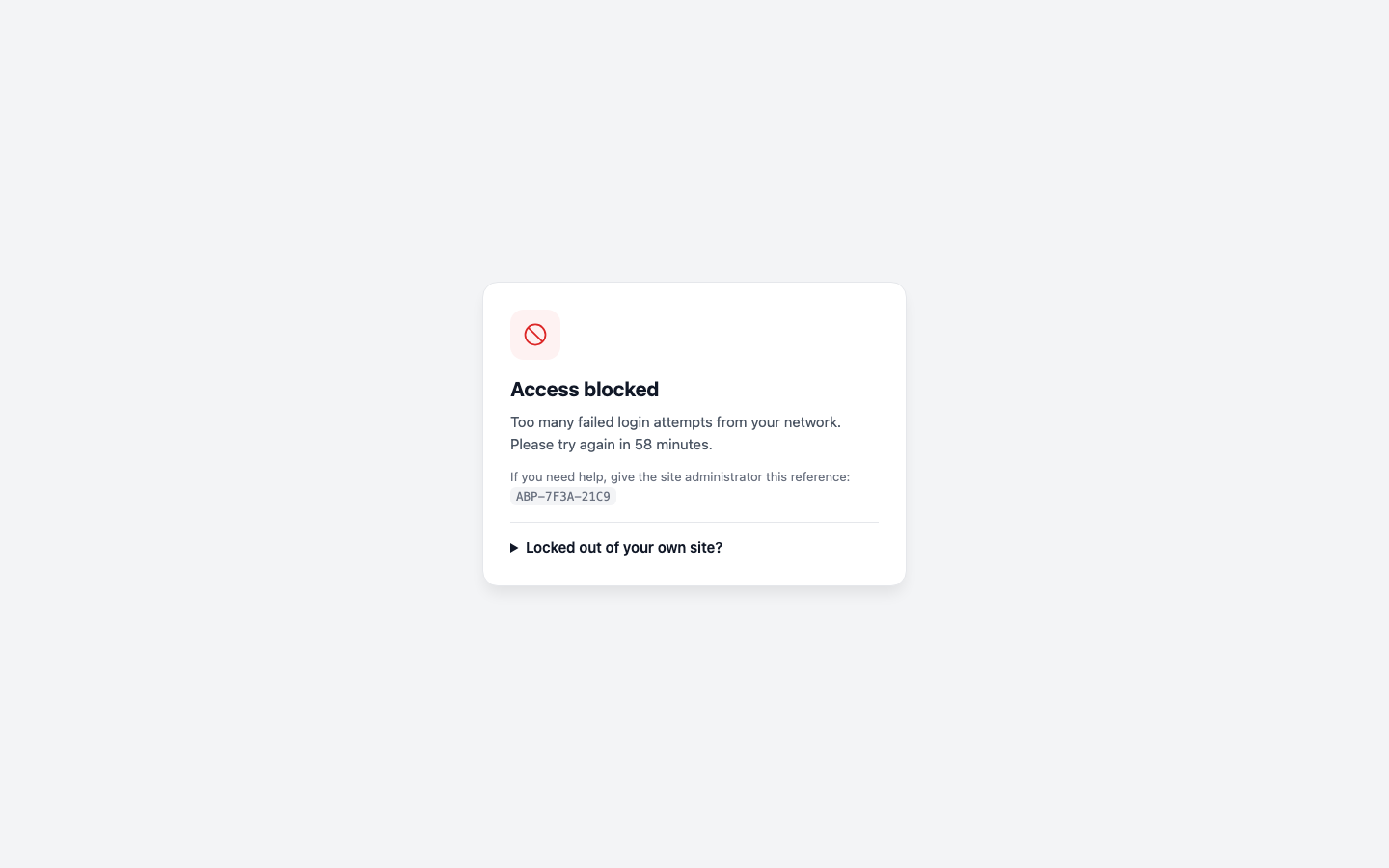
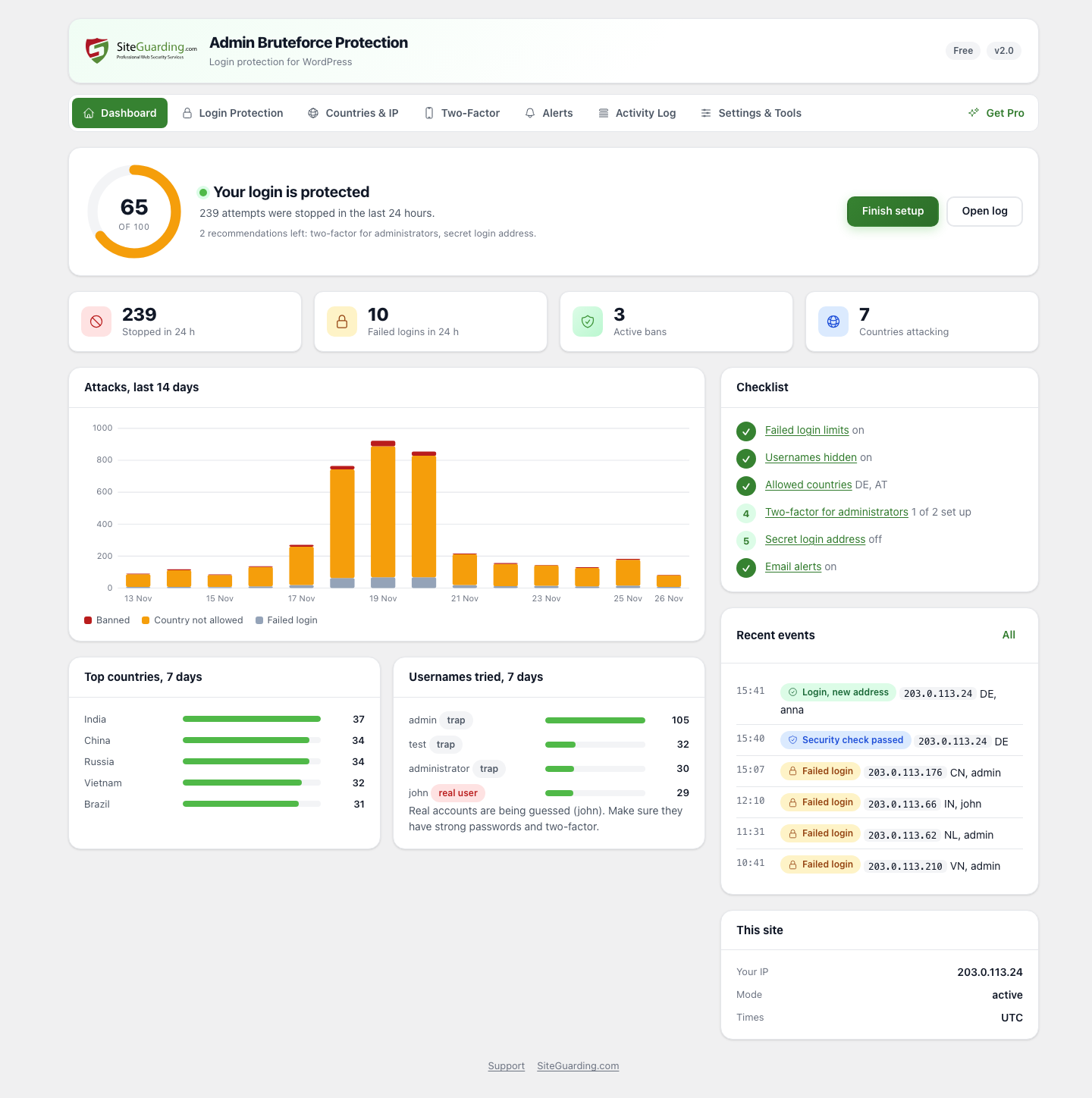
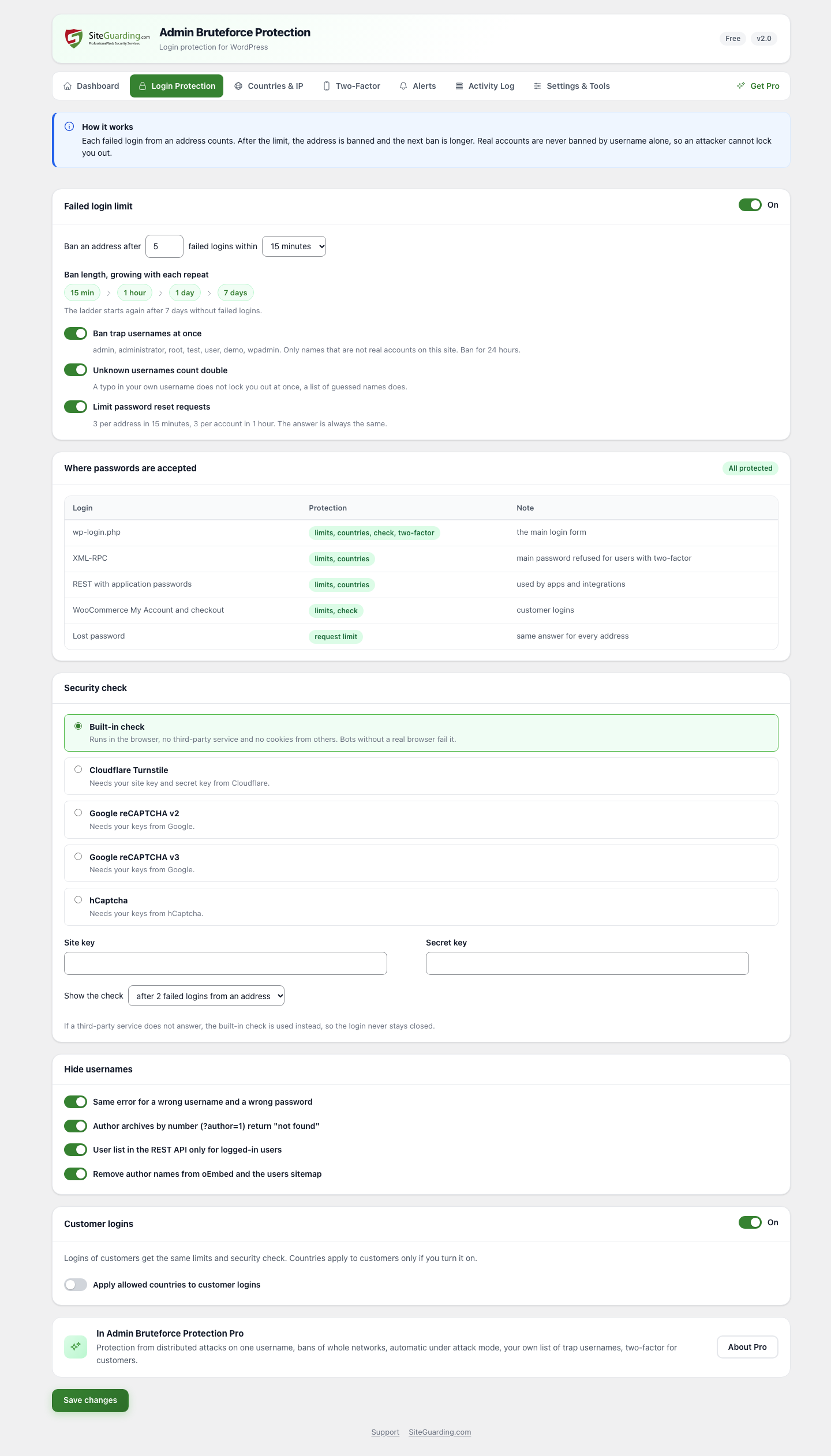
  • Failed login limits. After 5 failed logins in 15 minutes the address is banned, and every repeat bans it longer: 15 minutes, 1 hour, 1 day, 7 days. Real accounts are never locked by username alone, so an attacker cannot lock you out.
  • Trap usernames. Logins as admin, administrator, root, test or demo are banned at once when no such user exists on your site. Unknown usernames count double.
  • Every entry point. The login page, XML-RPC, the REST API with application passwords, the WooCommerce My Account and checkout forms, and the lost password form.
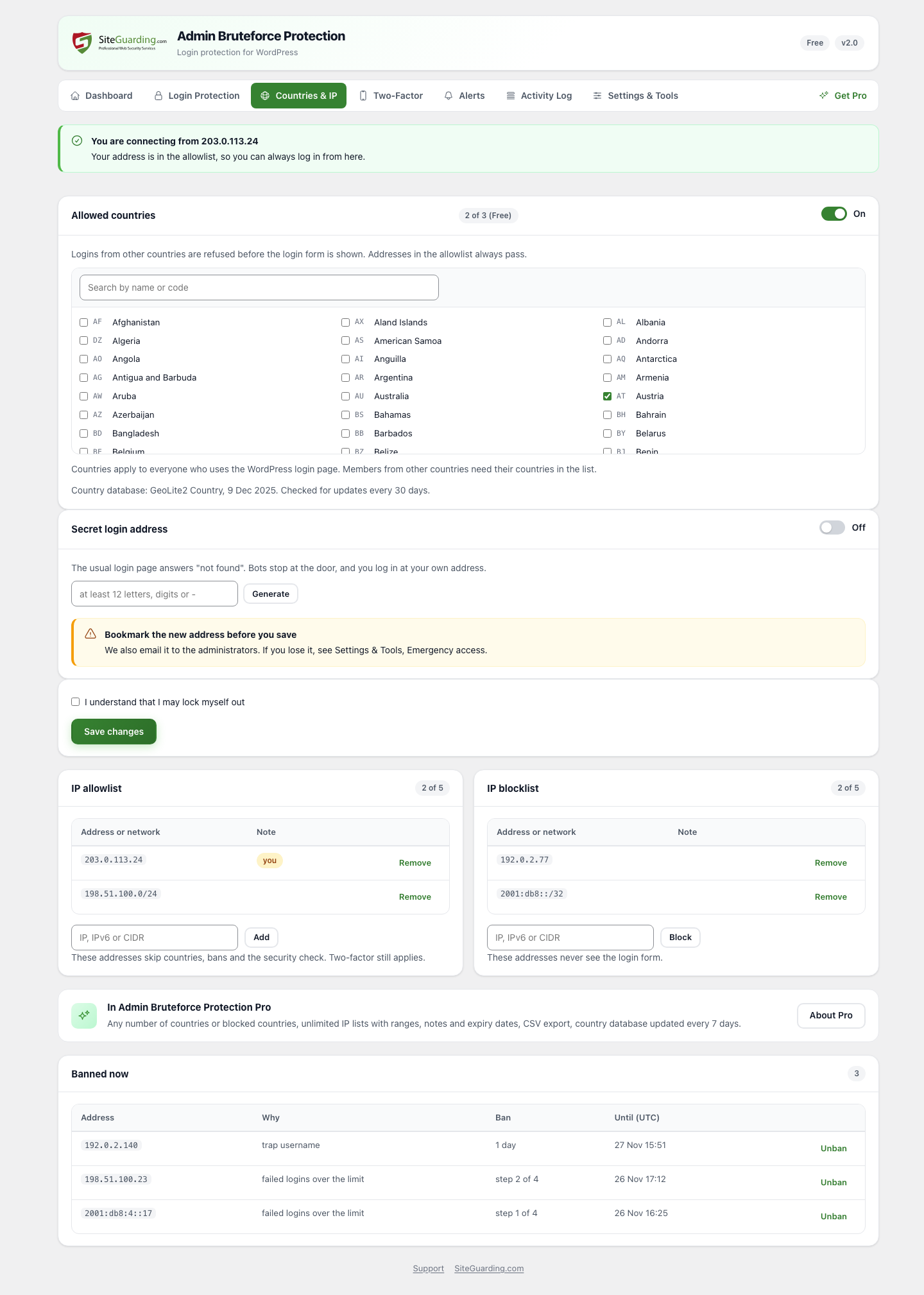
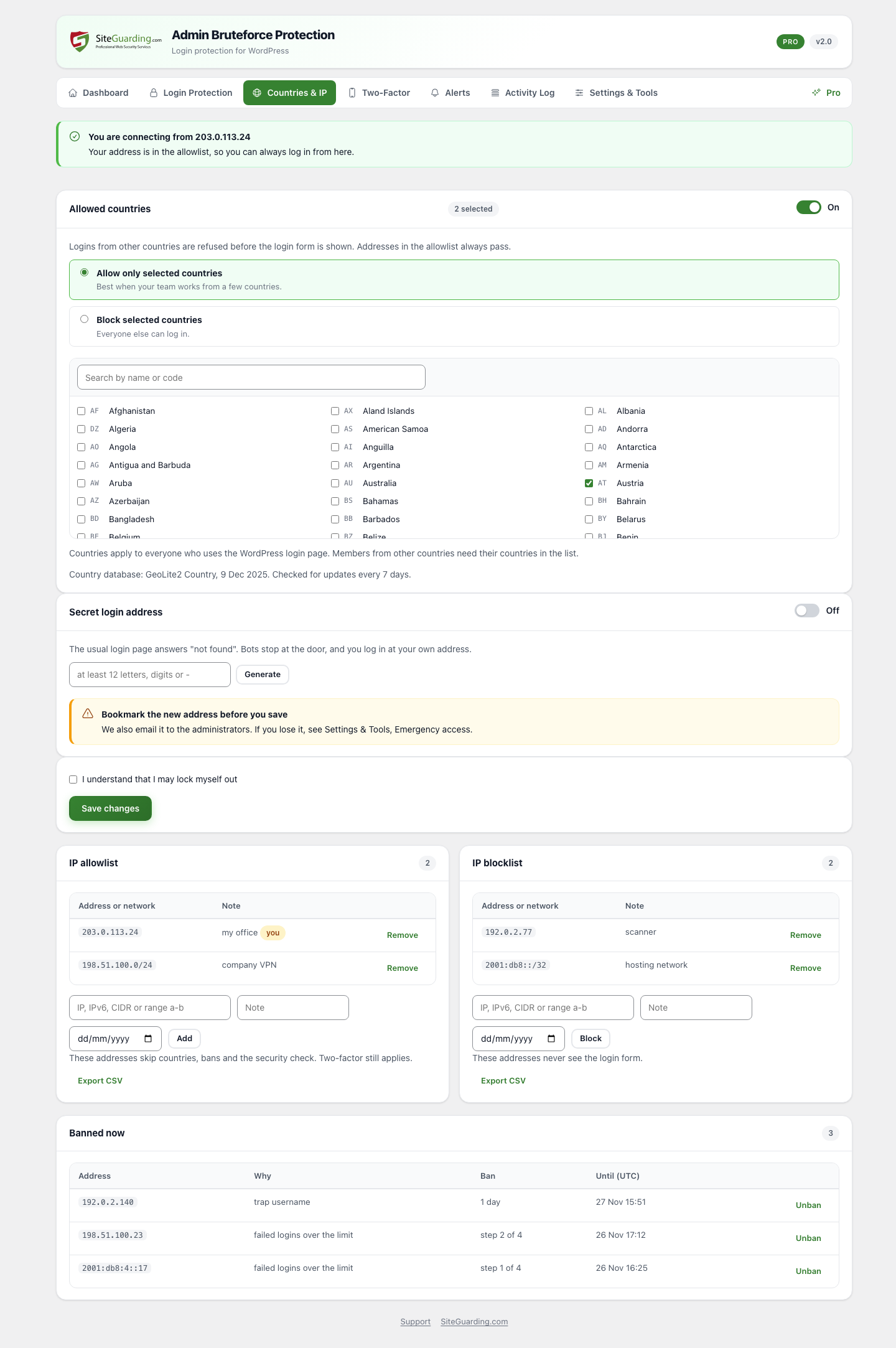
  • Allowed countries. Logins from other countries are refused before the login form is shown. Addresses in your allowlist always pass.
  • Secret login address. The usual login page answers "not found". You log in at your own address, and bots stop at the door.
  • Security check without Google. A check that runs in the browser, without third-party services and cookies. Prefer reCAPTCHA, Cloudflare Turnstile or hCaptcha? Choose one and enter your keys.
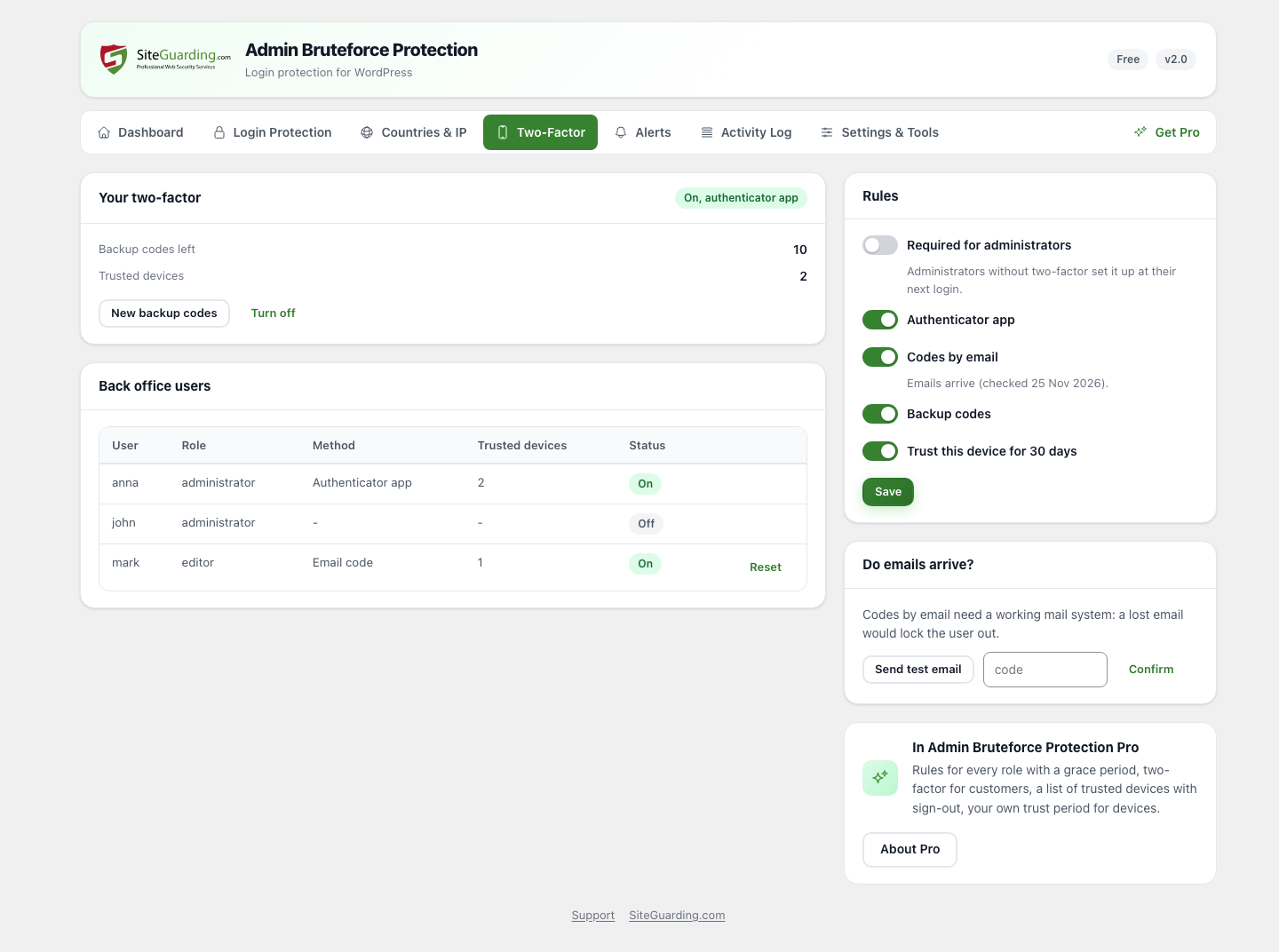
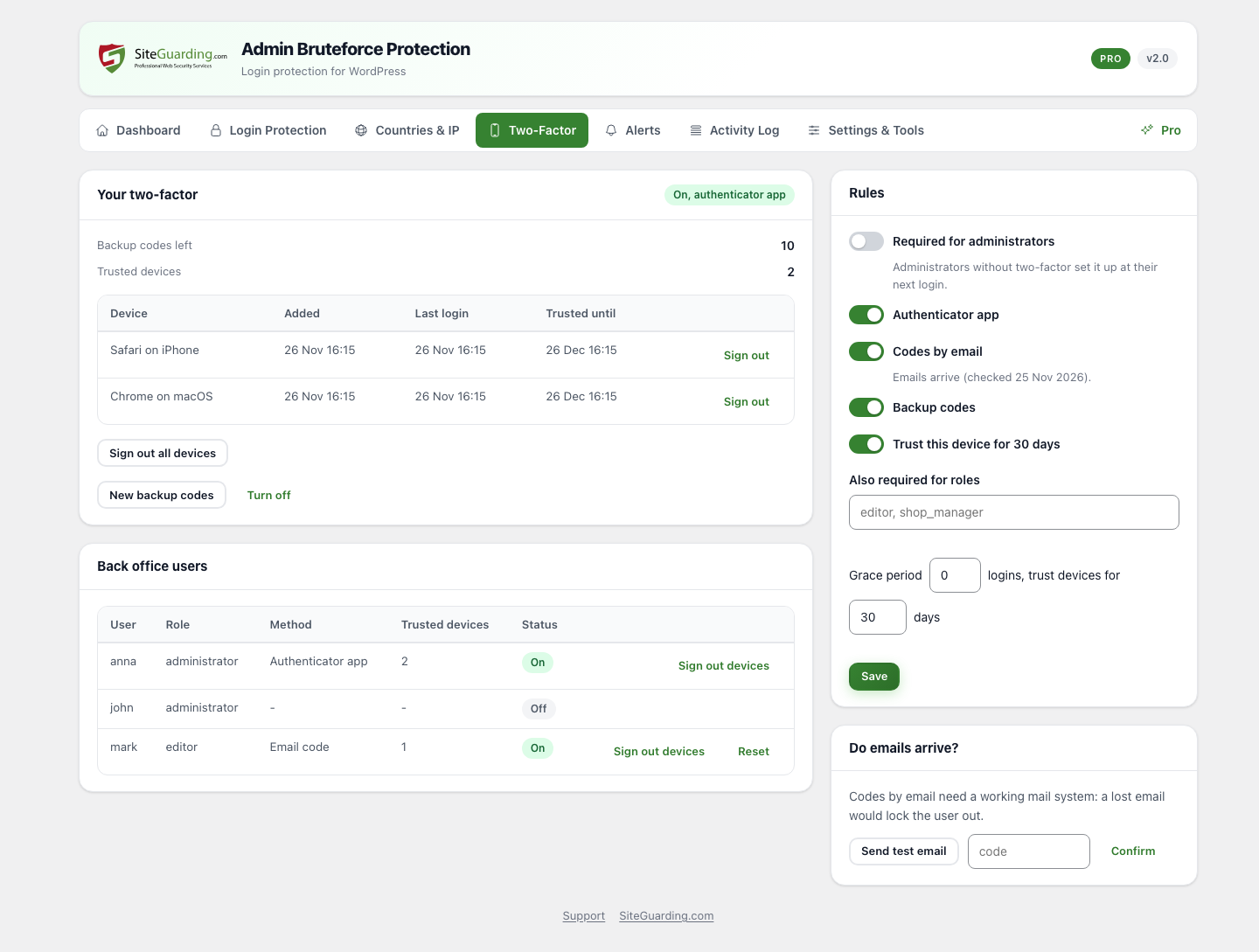
  • Two-factor. An authenticator app or a code by email, backup codes and trusted devices for 30 days. You can require it for all administrators.
  • Hidden usernames. The same error for a wrong username and a wrong password, no author archives by number, no user list in the REST API for visitors.
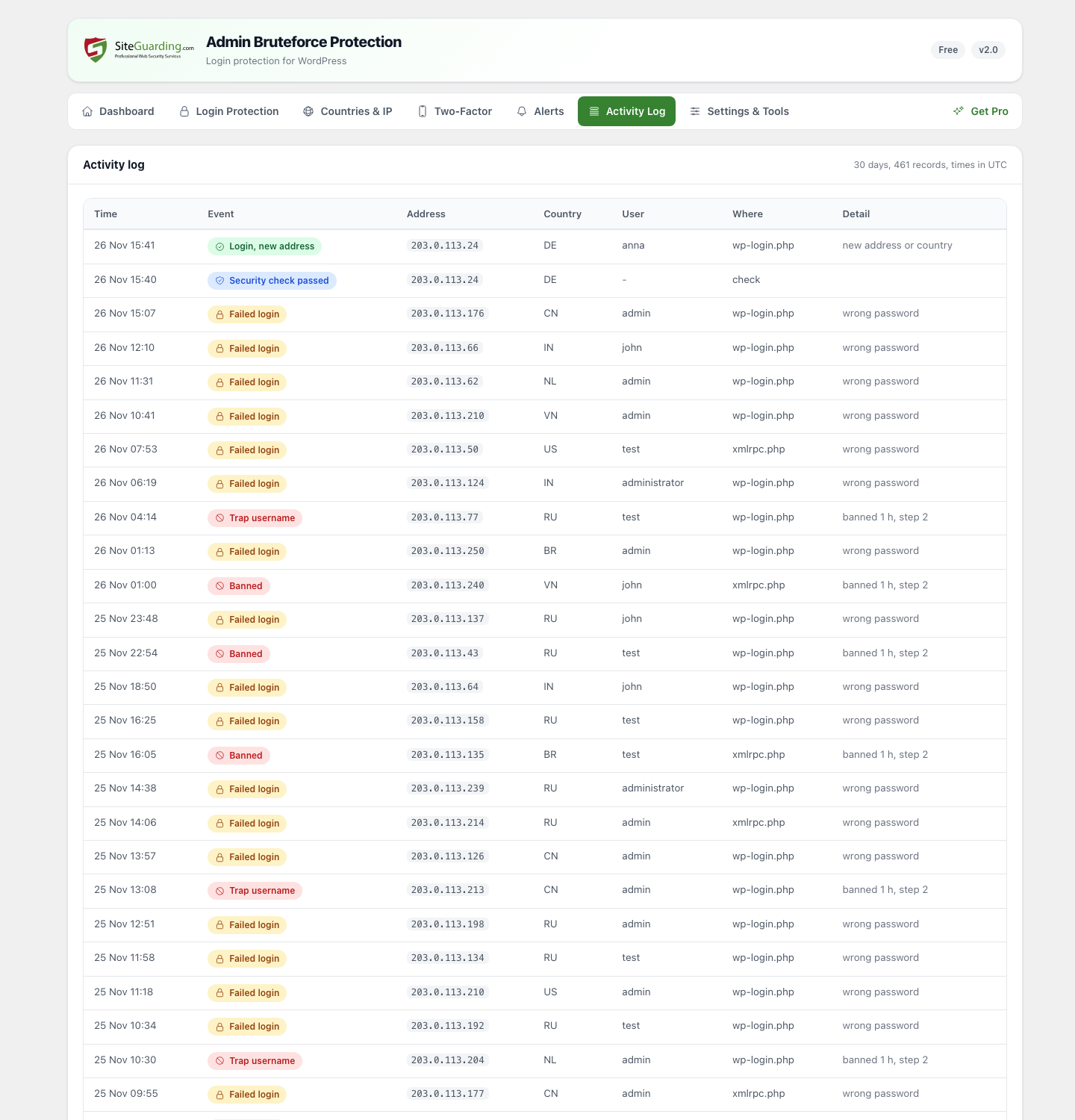
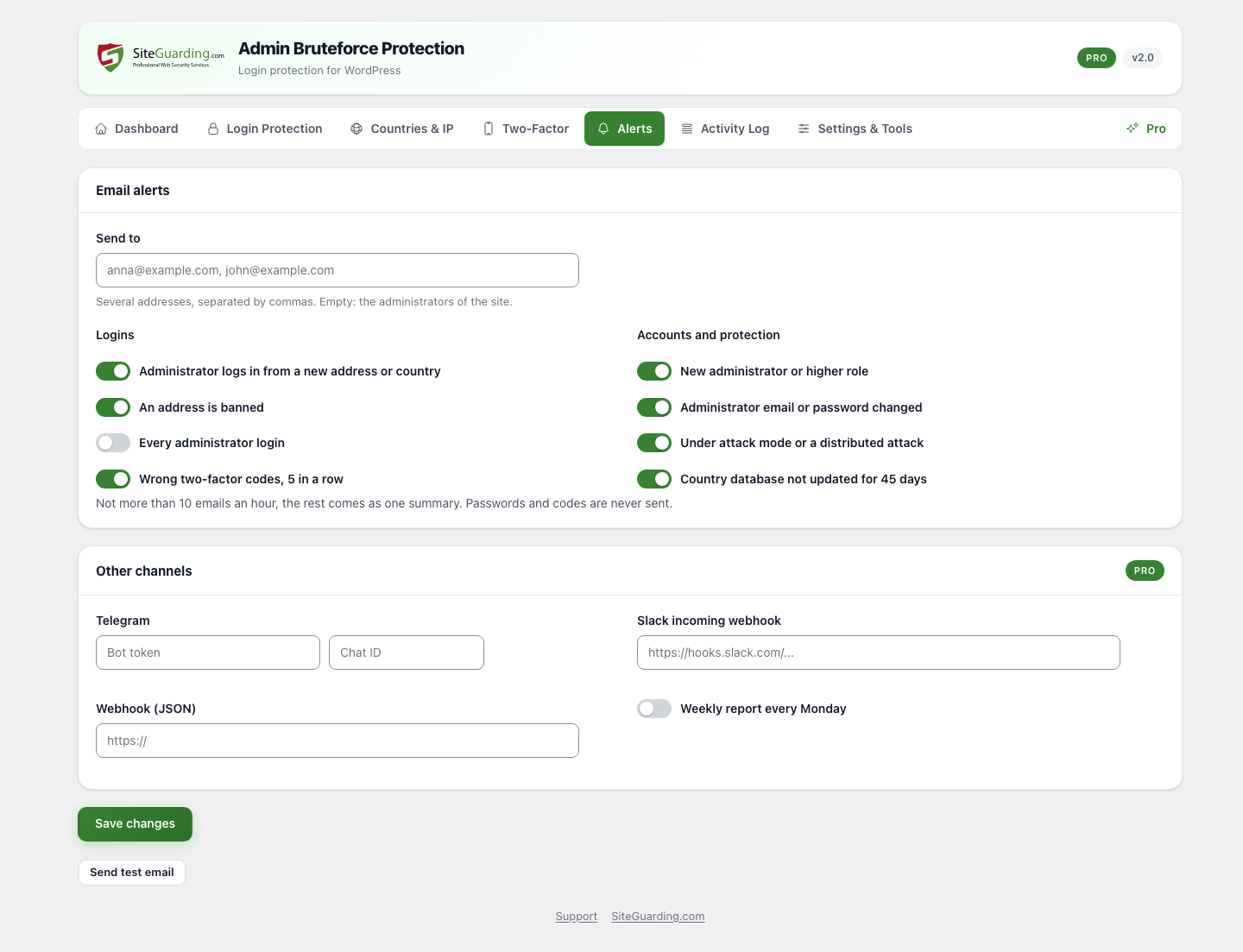
  • Alerts and a log. Email alerts when an administrator logs in from a new place, an address is banned or a new administrator appears. Every attempt in the activity log.

You cannot lock yourself out

  • Your own address goes to the allowlist when you save, and the plugin warns you when your country is not in the list.
  • Monitor mode: the plugin only writes to the log, nothing is blocked, until you are sure.
  • An unlock link by email for administrators who banned their own address.
  • An emergency switch: an empty file sgabp-disable.txt in the root folder of the site, or one line in wp-config.php, turns the protection off.

Light on your server, private by design

  • The check runs only on the login pages. Other pages of your site are not touched.
  • A visit never waits for an outside service: the country database, the licence and updates are handled in the background.
  • Everything is stored on your own server. Passwords and codes are never stored or sent; secrets of two-factor are encrypted, email codes and backup codes are stored as hashes.

Free and Pro

Free Admin Bruteforce Protection
Admin Bruteforce Protection Pro
Failed login limits, growing bans, trap usernames YES
Every entry point, hidden usernames, limit of password resets YES
Distributed attacks on one username, bans of whole networks, under attack mode -
Allowed countries Up to 3
Country database Updated every 30 days
IP allowlist and blocklist Up to 5 each
Secret login address YES
Security check: built-in, reCAPTCHA, Turnstile, hCaptcha YES
Two-factor: app, email codes, backup codes, trusted devices YES
Two-factor required for administrators YES
Customer logins in WooCommerce: limits and the security check YES
Session timeout for administrators YES
Alerts Email
Activity log 30 days

Pro is an add-on to the free plugin, with a 14-day free trial. Plans, prices and the trial:

FAQ

I lost the secret login address. How do I get in?

The address is in the email the plugin sent to the administrators when you saved it. If that email is lost too, put an empty file named sgabp-disable.txt in the root folder of the site: all checks stop until you remove it. Log in at the usual page and choose a new address.

I banned my own address.

Open the login page and use "Locked out of your own site?": an unlock link goes to the email of the administrator. Or wait until the ban ends, or use the emergency switch.

Does it work with page caches?

Yes. Login pages are sent with headers that tell caches not to keep them. If you turn on the secret login address on a site with a page cache, clear the cache once.

Will WooCommerce customers be affected?

Customers get the same limits and the security check. Countries apply to customers only if you turn that on.

I copied the site to another server and two-factor stopped working.

The secret keys of the plugin live in wp-content/uploads/sgabp/. Copy that folder with the site. Users can still log in with a code by email or a backup code.

Does it send data to other services?

No, unless you choose reCAPTCHA, Turnstile or hCaptcha for the security check, or Telegram, Slack or a webhook for the alerts (Pro). The country database is updated from siteguarding.com in the background.

What happens when I remove the plugin?

Deleting the plugin keeps the data unless you ticked "Delete all data on uninstall" in Settings & Tools.

Requirements

WordPress 5.9 or newer (tested up to 7.1), PHP 7.2 or newer (tested up to 8.5). WooCommerce is optional.

Download

Free, no account needed. WordPress 5.9 or newer, PHP 7.2 or newer.

Installation

1. In WordPress, open Plugins > Add New Plugin > Upload Plugin and choose the zip file.

2. Activate "Admin Bruteforce Protection". Failed login limits and hidden usernames start at once.

3. Open Bruteforce Protection in the admin menu and follow the checklist on the Dashboard: allowed countries, two-factor for administrators, the secret login address.

Using an older SiteGuarding login plugin (Admin Protection, Admin Two-Factor Authentication, Admin Bruteforce Protection and Notification)? Settings & Tools offers to import its settings, including the two-factor secrets of your users, so nobody has to scan a new QR code.

Pro: install the Pro add-on the same way, next to the free plugin, and enter your licence key on its Pro screen.

Updates

Both plugins update from siteguarding.com on the WordPress Plugins screen, like any other plugin, and you can turn on automatic updates there.

Changelog

2.0
Rebuilt from the ground up as one plugin for login protection: failed login limits with growing bans on every entry point, trap usernames, allowed countries, IP lists, a secret login address, a built-in security check or reCAPTCHA, Turnstile and hCaptcha, two-factor with an app, email codes, backup codes and trusted devices, WooCommerce customer logins, hidden usernames, session timeout, email alerts, activity log and protection from locking yourself out. Imports the settings of the older SiteGuarding login plugins.

Live Chat Support
Our website uses cookies, which help us to improve our site and enables us to deliver the best possible service and customer experience. See our policy Accept